
In a nutshell: How can you easily automate your functional, design, API, data layer, SEO, and performance tests? This guide covers: Need help automating your functional tests?
How can you easily automate functional, design, API, data layer, SEO, and performance tests? It’s difficult to find an automated testing tool that covers all the needs of a complex IT project. Very often, everyone uses their own testing tool in isolation, making collaboration and communication between teams difficult and exacerbating the “silo effect” within companies and on projects.
The need to use complex testing tools intended solely for experienced users is reduced when using a SaaS platform and a code-free editor such as the one offered by Mr Suricate.
With these solutions, business teams can monitor the quality of their development work across all their environments themselves: functional tests, data-layer tests, accessibility tests, SEO tests, mobile app tests (iOS & Android), and performance tests—all of which can be easily automated using the no-code editor Mr Suricate. This same editor provides IT teams with a powerful tool that allows them to monitor both their APIs and their performance ( uptime, page load, etc.) and even perform end-to-end integration tests. As a result, quality becomes a common goal shared by all project stakeholders thanks to a shared, simple, and intuitive platform.
Mr Suricate thus Mr Suricate time for developers so they can focus on tasks with higher added value. No more tedious maintenance of automated test scenarios, and no more extra days spent fixing bugs at the end of a sprint—all thanks to an automated testing tool that’s easy to maintain and can be integrated into a CI/CD environment via API.
In short, Mr Suricate the one-stop shop for automated testing.
A collaborative SaaS test automation platform to put an end to siloed workflows on projects …
Mr Suricate a simple tool that is particularly well-suited for complex projects thanks to its various settings that facilitate collaboration among all teams:
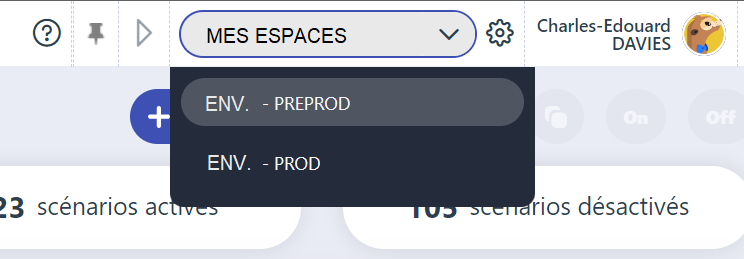
- Easily access the workspace dedicated to your environment: production or pre-production for your website, or the production or test version of your iOS or Android mobile app in APK or IPA format.
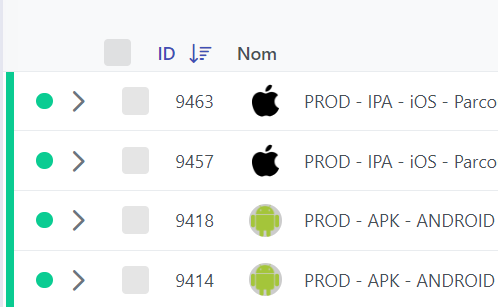
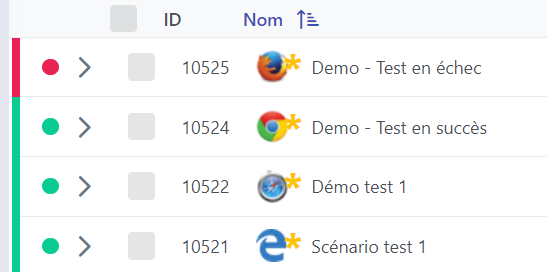
- Visually identify the type of browser or device on which your automated test scenario is running. Mr Suricate lets Mr Suricate run tests on all browser versions and all OS versions! (Even Internet Explorer.)
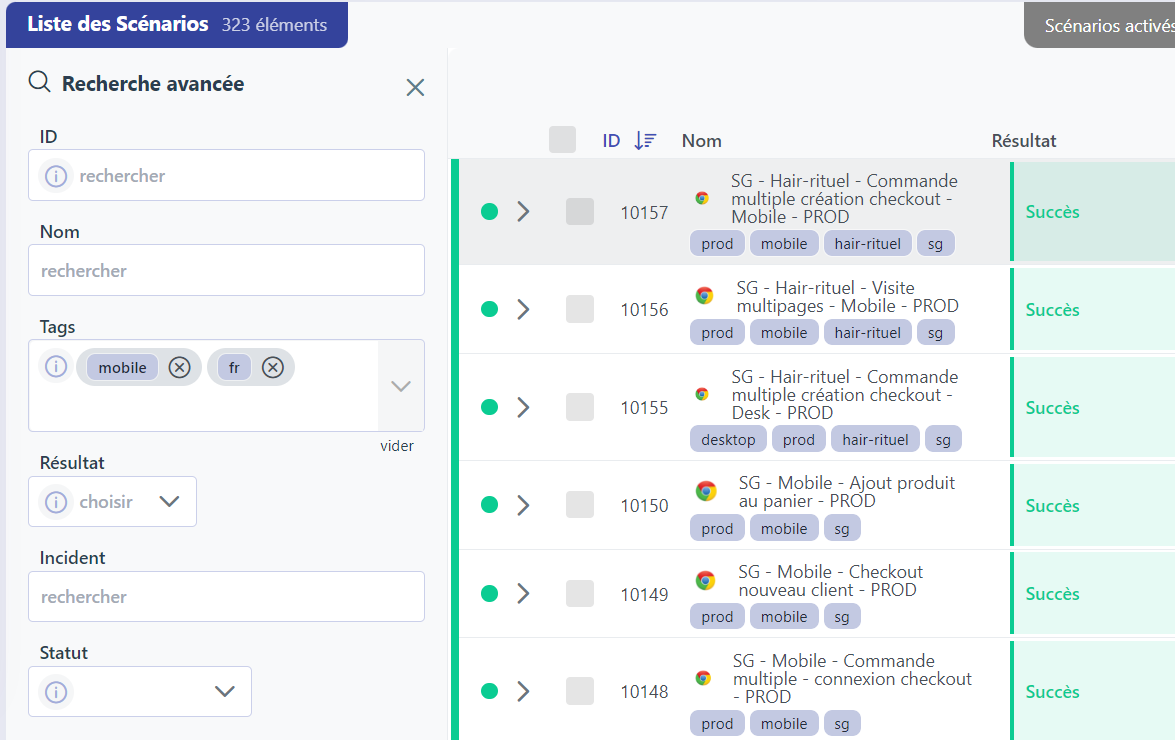
- Quickly filter your scenarios using the advanced tagging system. Environment, device, browser, country, user flow, feature—use the tagging system however you like. For example, you can tag certain scenarios as “sanity checks” to run them after each deployment. Finally, this tagging system can also be accessed via our API to integrate into your CI/CD pipeline (Jenkins, Microsoft Azure, GitHub, etc.).
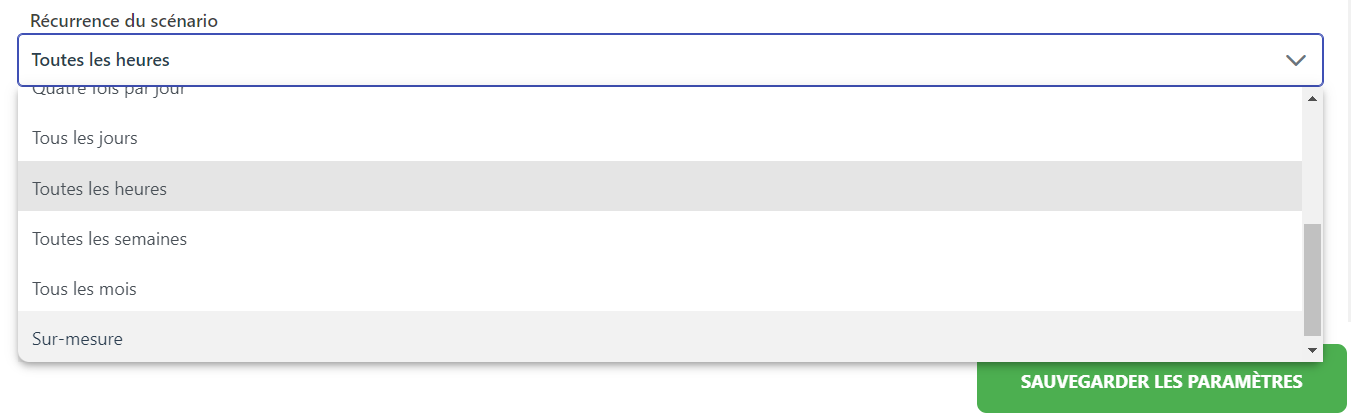
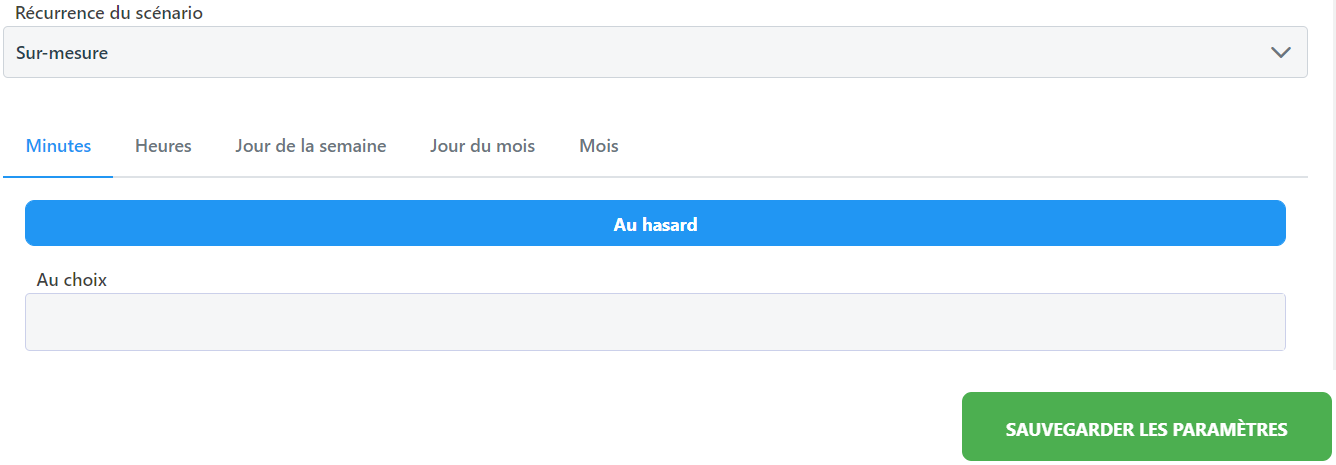
- Set the recurrence of your scenarios using a drop-down list and a save button! No more time-consuming virtual machine configurations—run your scenarios at scale overnight. Mr Suricate finally lets Mr Suricate accelerate yourtest automation project by removing technical barriers. Take advantage of the power of our SaaS architecture!
Select a default recurrence
Or set up your own custom schedule
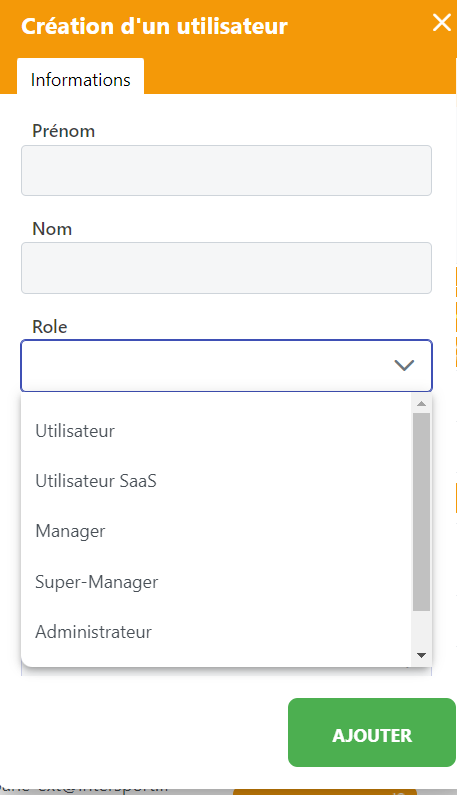
- Manage user permissions based on roles within your project. Need to separate the maintenance team—which has write/edit permissions—from your project management team—which has execution permissions? You can do that with Mr Suricate
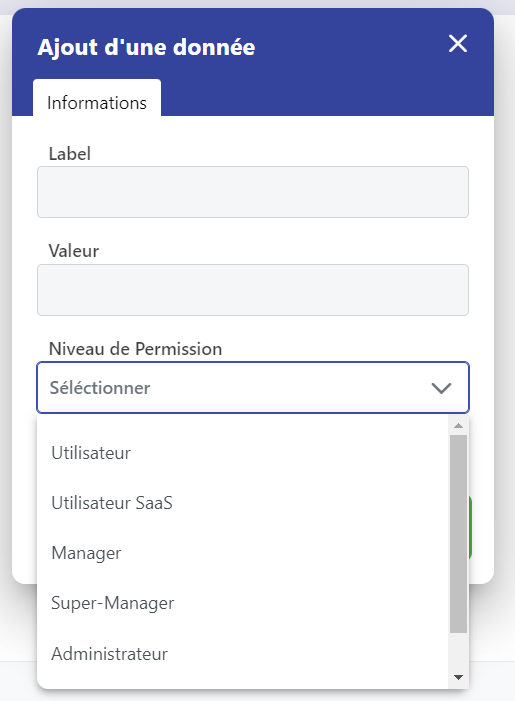
- Does your script access a secure area requiring a username and password (secure environment, customer account, back-office access, etc.)? Encrypt your sensitive data directly on the Mr Suricate platform Mr Suricate that this data does not appear in plain text to all users.
- Is your project organized into “feature teams” or “squads”? Use the advanced notification system built into Mr Suricate Notify the right people at the right time with Mr Suricate customizable alerts. In fact, a single scenario can notify different people depending on where it fails, ensuring the right team is alerted. SMS, Microsoft Teams, Slack, Discord, email—choose the channels that work best for you!
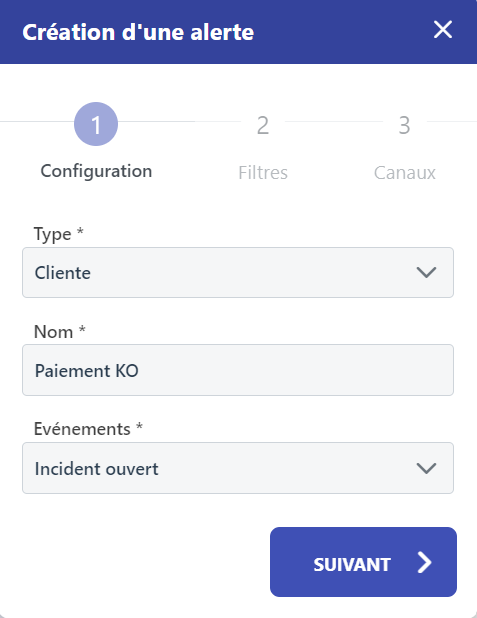
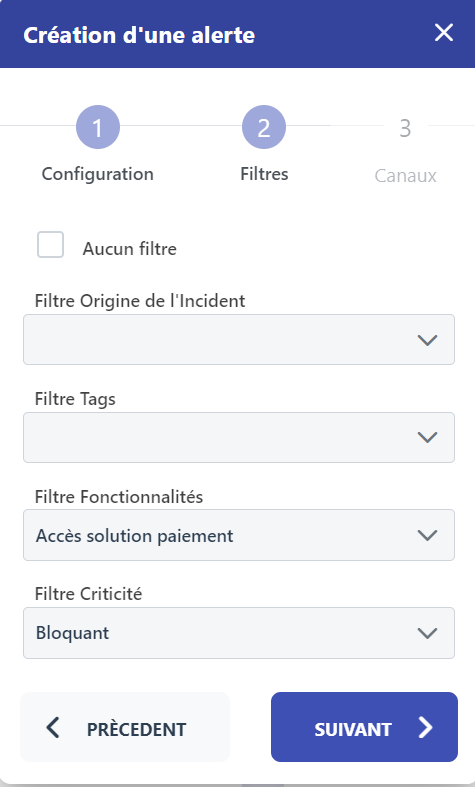
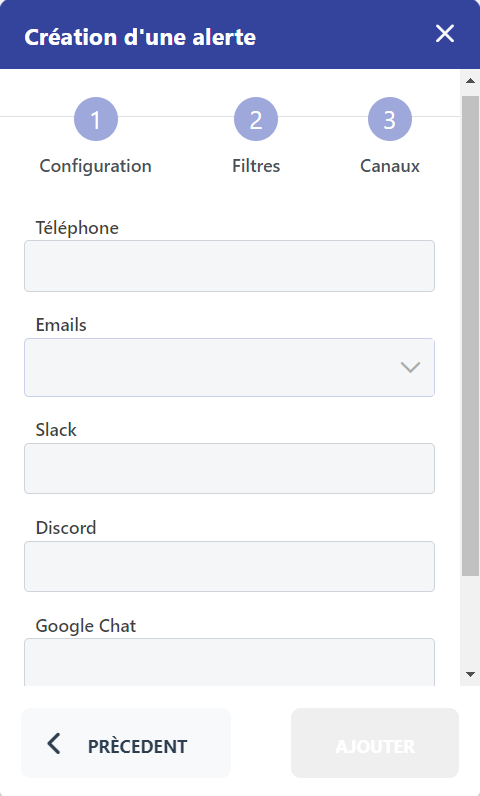
With test cases and dashboards that everyone can understand!
In addition to facilitating collaboration among different project teams, Mr Suricate also Mr Suricate a level of understanding that is accessible to everyone and a level of customization tailored to different needs.
- Are you a project manager who needs to know the exact steps in a failed automated test scenario so you can share them with a developer? Use the scenario viewer to view your scenario as steps that anyone can understand! No code to read!
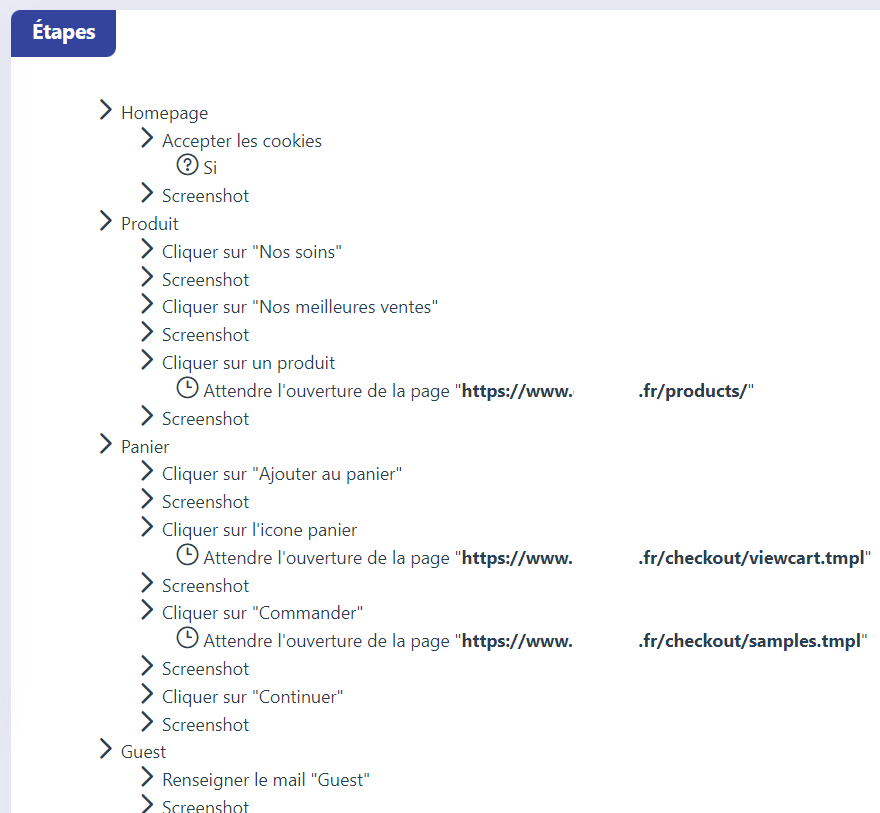
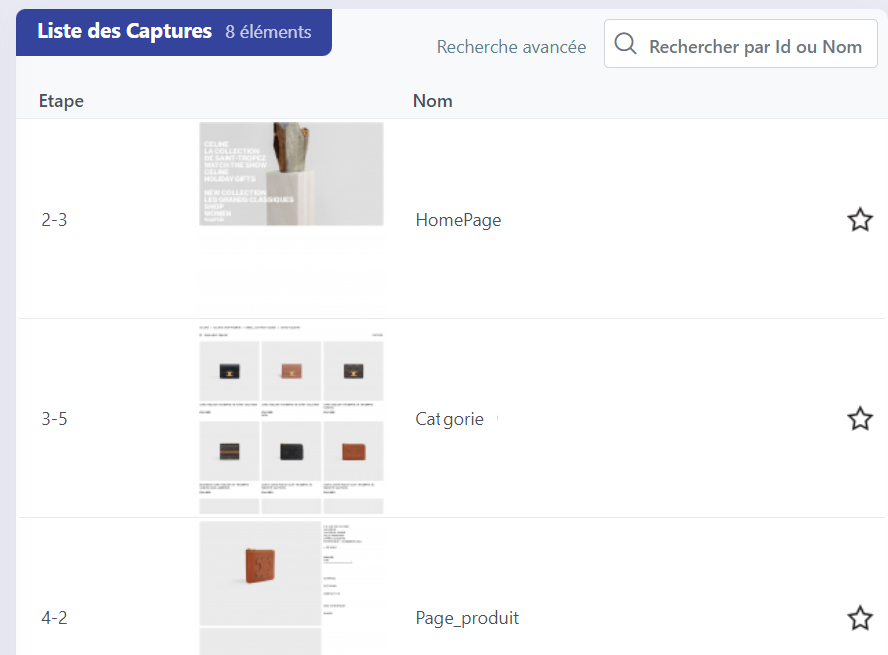
- Are you a project manager who wants to quickly update your automated test scenario without having to redo everything manually? Use the screenshot gallery in your scenario's results to quickly and visually review its various steps.
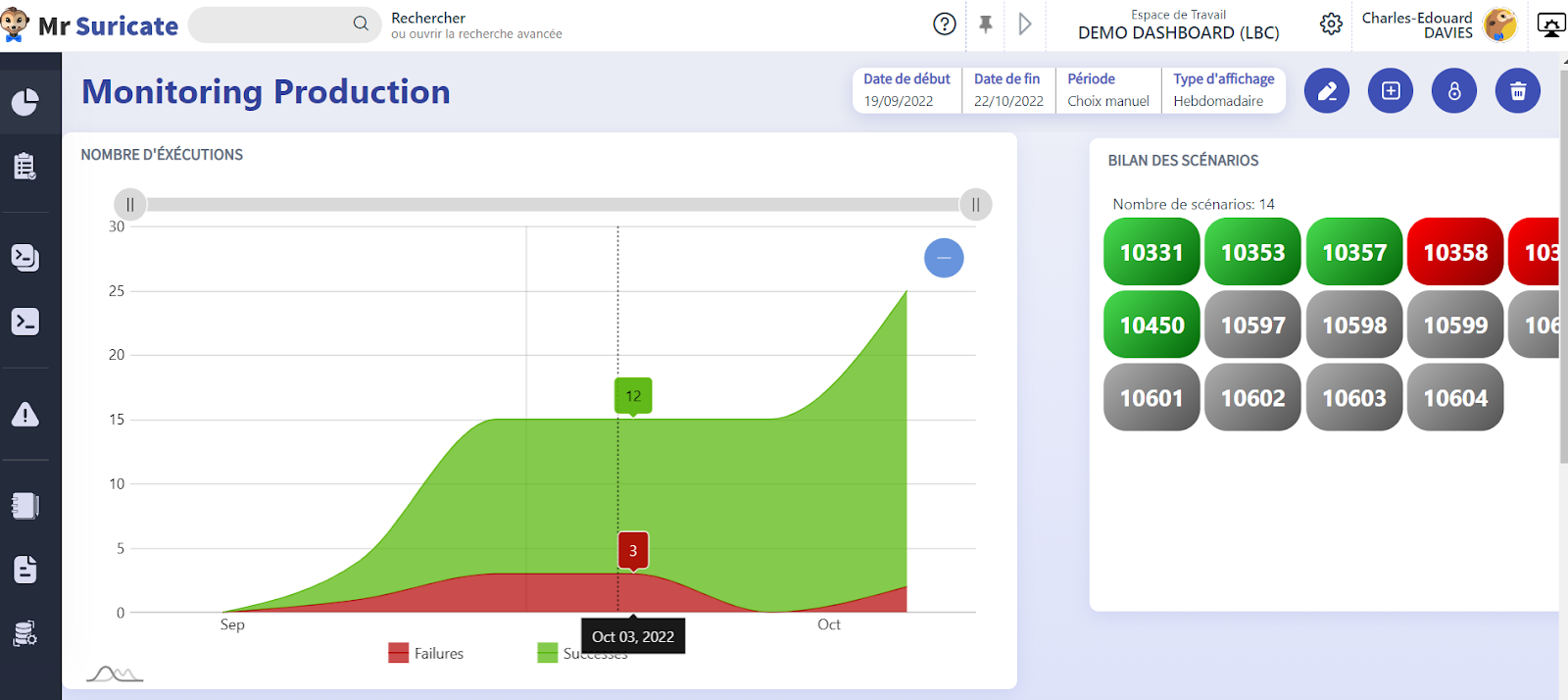
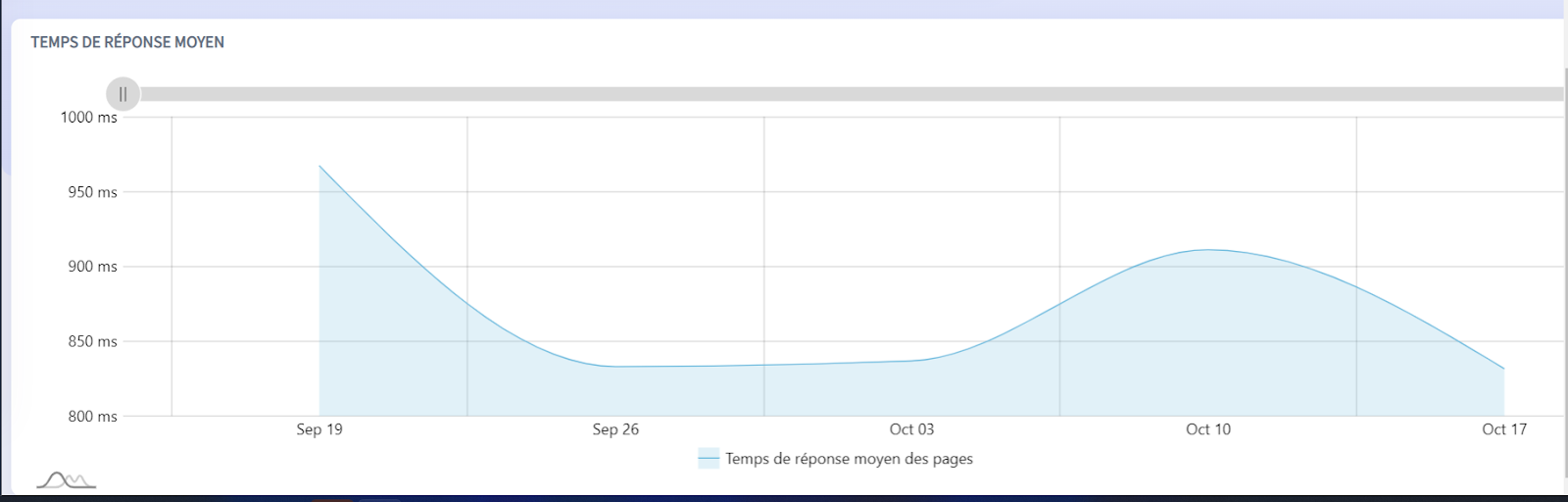
- Are you on the IT side and need a dashboard to monitor your production environment? Or are you a project manager who needs a quick overview of your application’s quality before giving the go-ahead to go live in production? Use Mr Suricate dashboards, featuring widgets that adapt to your specific needs. A single customer account can hold as many dashboards as you want!
A platform powered by simple, long-lasting technology choices!
In this article, we’ve seen how Mr Suricate break down silos and finally put quality at the heart of your project through a collaborative and customizable platform.
However, a key strength of Mr Suricate also Mr Suricate in its code-free editor, the result of five years of R&D at our IT lab in Nantes. This editor is used daily in-house by our team of automation engineers, all based in Nantes! The success of our full-service offering has now led us to make this editor available to our customers through a brand-new SaaS offering.
We relied on two major partners: Google for our editor and Microsoft for our engine. This allowed us to create an automated test editor that is theoretically accessible to children as young as 7! In fact, the technology we use is currently taught starting in fifth grade in France to teach our children the basics of development and algorithms.
Our IT team is proud to have developed the only technology that lets you automate your iOS mobile app testing without writing any code! Want to explore this editor in depth with our experts? Schedule an appointment + CTA livrestom or contact us
Do you require assistance with functional test automation?
Mr Suricate low-code solutions Mr Suricate helped countless companies drive innovation and accelerate their digital transformation. Our solutions address a wide range of use cases.
Further Reading
FAQ
What features should you expect from a SaaS testing platform?
An accessible editor (ideally no-code), support for multiple browsers and devices, integration with CI/CD, alerts, dashboards, and simplified scenario maintenance.
Why Choose No-Code?
Because it makes automation accessible to business and product teams without relying solely on technical experts, while speeding up implementation.
What sets a good platform apart?
Its ability to reduce test maintenance, cover a wide range of environments, and combine testing and monitoring into a single tool.
Is SaaS suitable for large enterprises?
Yes. A good testing SaaS solution scales and integrates with existing workflows, making it suitable for both business teams and large enterprises.
What is Mr Suricate position Mr Suricate
As an all-in-one no-code platform (testing + monitoring), with dedicated support and the ability to revert changes, for both business teams and large enterprises.
See also: After the COVID-19 Boom, Are E-commerce Sites Ready for the Christmas Rush?, 6 Mistakes to Avoid When Testing a Mobile App, Mr Suricate Alfred Monitoring vs. Tosca, A Quick Guide to Testing Banking Apps and Websites, and Mr Suricate Datadog vs. Contentsquare: Differences and Complementarity.
Take It a Step Further: Automated Testing for Software Developers.