

On the platform
A single connection workflow, from recording to verification: Suricapture, your team's library, the editor, text mode, and the execution history.
1
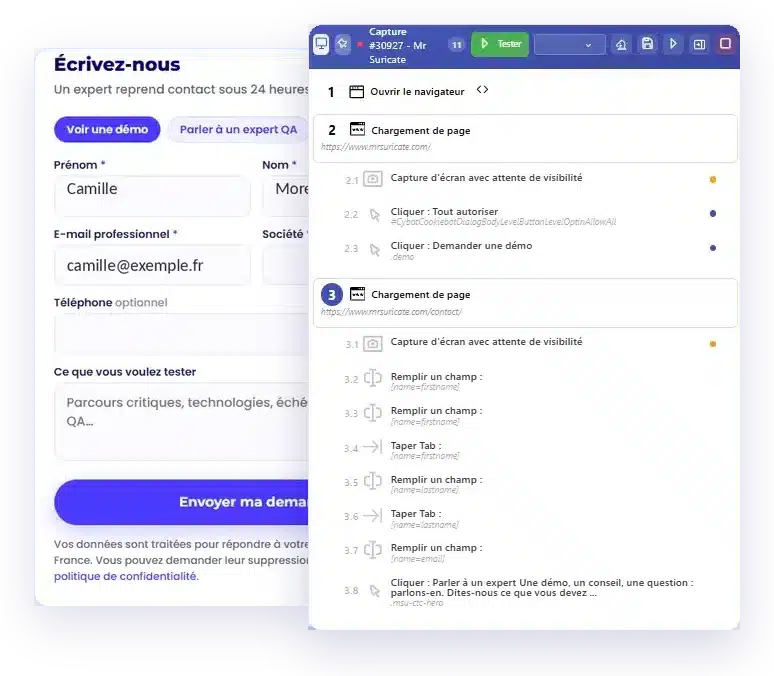
You open the flow in your browser and go through it, just like a user would. Suricapture records every action in its panel: page opens, clicks, text entry, waiting. By the end, the scenario is already there, numbered and easy to review. All that’s left is to save it and refine it.
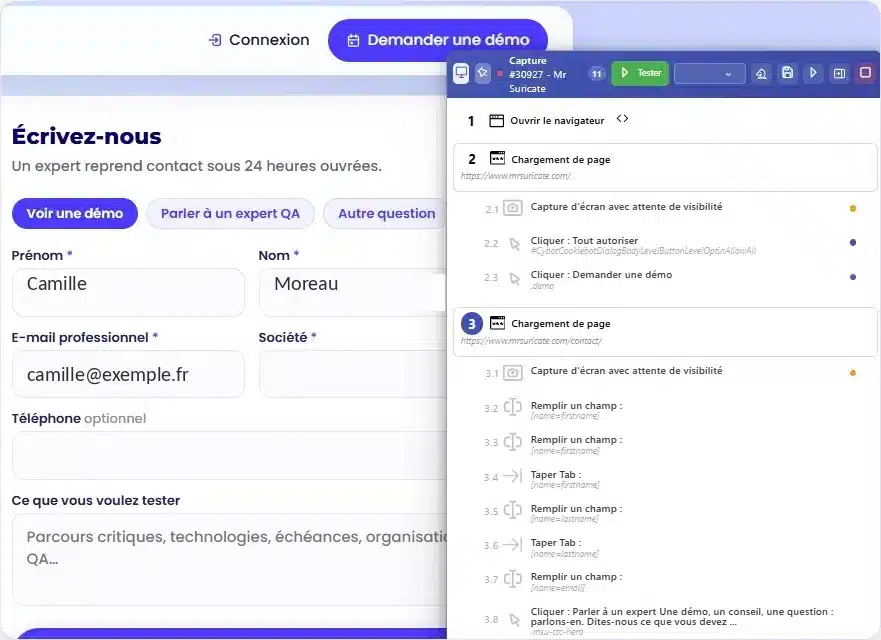
The work happens during filming, not afterward. That’s what determines whether your script will survive the next rewrite.
Suricapture installs on your computer and runs its own browser—never your personal profile. You choose the platform when you set it up: web, Android mobile, or iOS mobile.
While capturing, Suricapture scans the page and displays elements similar to the one you just clicked on. When the choice is unclear, it flags it with a reliability score, and you make the decision on the spot.
Pre-production behind an .htaccess authentication, login credentials: Suricapture opens the window; you enter them once, and the credentials are sent to an encrypted manager instead of being left in plain text in the script.
Screen resolution, language, geolocation, blocked resources: the replay conditions are saved with the scenario. It will be replayed in the same setting in six months.
2
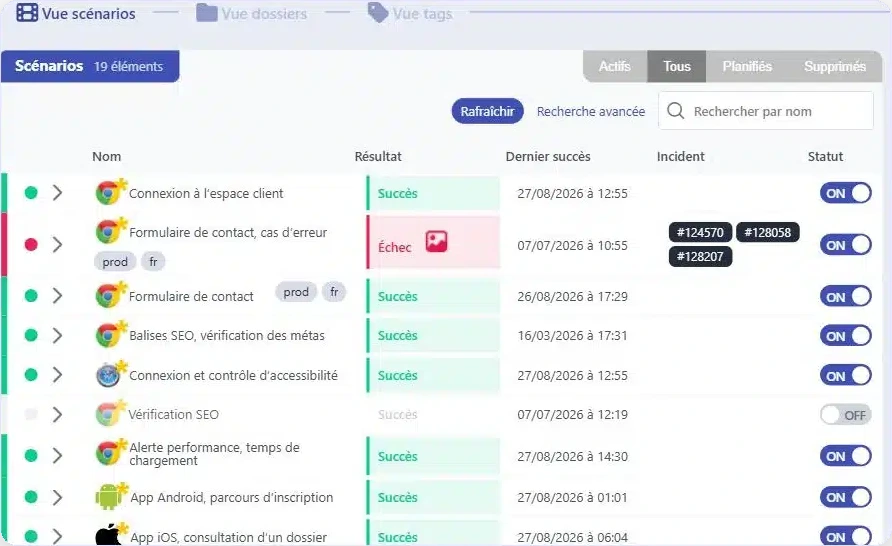
The library tracks what you're covering. Online subscription, back office, native app, accessibility: each scenario has its own status, last successful execution, and open incidents. You can pause a scenario while it's being redesigned and then resume it afterward. Its content remains unchanged.
3
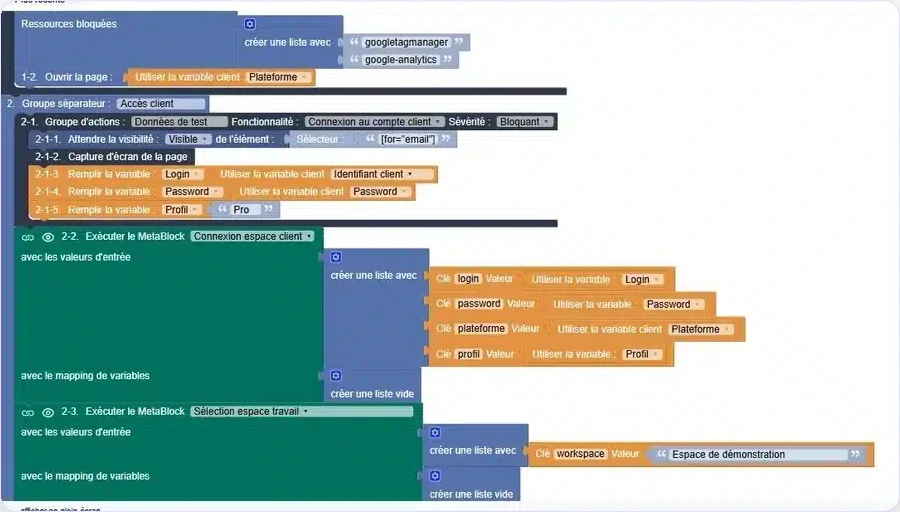
Action groups break down the workflow, variables hold the data, and metabocks encapsulate repetitive elements. A selector can be changed using a drop-down list. There’s nothing to compile and nothing to indent.
4
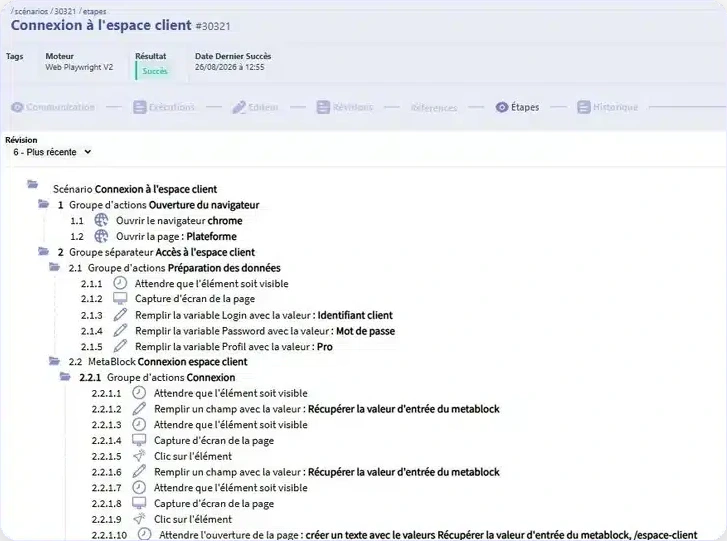
Text mode outputs the complete tree structure, one line per action, numbered 1, 2-1, 2-1-3. A product manager or auditor can read it without needing an explanation of the tool. This is what ensures that a test remains understandable even when the person who created it is no longer there.
5
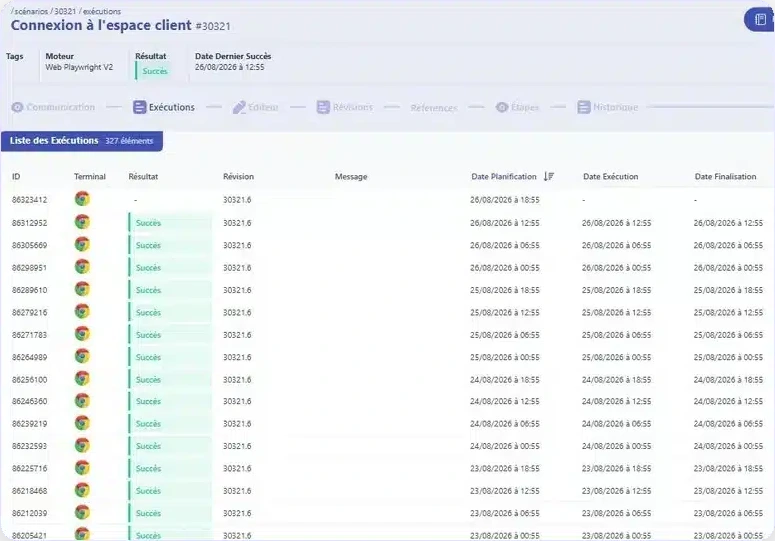
Every run leaves a record: scheduled date, actual date, duration, result, and incident. In this scenario, there were 327 runs—one every six hours—lasting between 19 and 26 seconds. When a failure occurs, the incident identifies the step where it happened.
Details about reports and alerts can be found on the Reporting, Incidents, and Evidence page.
What you can test: your web experiences, your native iOS and Android mobile apps, and your APIs. Not thick clients.