Pipeline Triggering Results in your tools Without a single line of code

Integrate your automated tests into your CI/CD pipeline

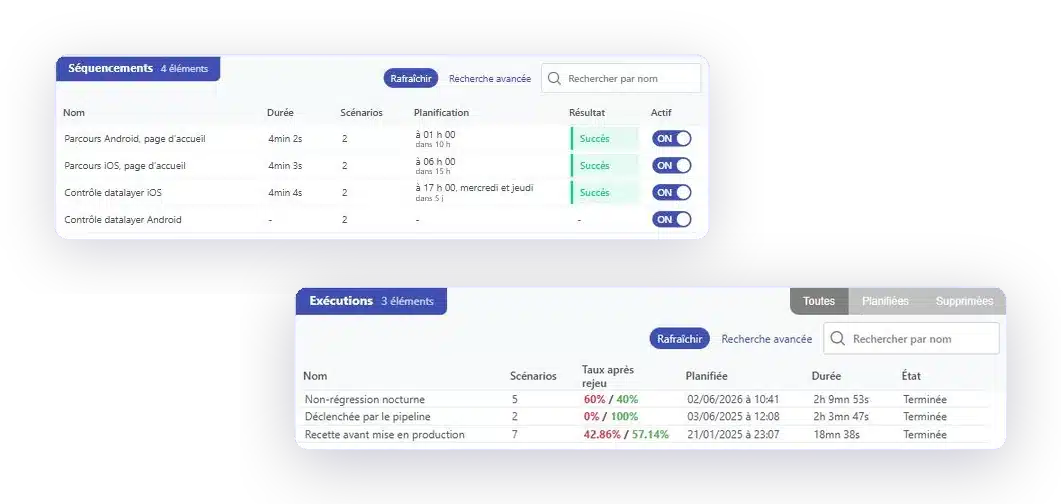
Your tests are triggered with every build from Jenkins, GitLab, or your orchestrator, run on your environments, and the results are returned to the pipeline as well as to your team tools.

app.mrsuricate.com
Execution triggered by the pipelineBuild #2417
WebsiteMobile appAPI
  • Step ·Deployment for acceptance testingCompleted
  • Step ·Non-regression, 42 scenariosCompleted
  • Step ·Payment ProcessFailure
  • Step ·DeploymentPending
Last run 4 minutes ago
Production Deployment BlockedThe pipeline has stopped

Tests that can only be run manually don't protect anything

A campaign launched on Friday afternoon—if anyone even thinks to do so—says nothing about what was delivered on Tuesday. As long as execution isn't triggered by the pipeline, coverage depends on whether someone is available.

Mouse icon

Your tests run with every build, from Jenkins, GitLab, or your orchestrator, via API call or webhook.

Purple Rectangles Icon

Recipe, pre-production, production. The same scenarios, with the specific data sets for each environment.

Purple Gear Icon

The status is back in the build. It's up to you to decide whether it simply notifies the team or halts the pipeline.

Purple API Test Icon

Jira for tickets, Slack or Teams for the team, text messages for on-call duty. No one is adding another tool.

From your commit to your ticketing tool, seamlessly

Three steps—and none of them require you to put your tools away.

1 Triggering Your tools stay in control
  • GitLab
  • Jenkins
  • Microsoft Azure
  • API Call
  • Planning
2 ExecutionMr SuricateYour scripts run on your production environments
  • Web Tour
  • Native iOS and Android Apps
  • Real Mobile Farms
  • APIs and Internal Feeds
3 Restitution The results are delivered right to your workplace
  • Jira
  • Slack
  • SMS
  • Webhook
  • API
And a pipeline that doesn't break with every update
    Self-healing: Some selector failures resolve on their own; the rest are reported as incidents.

YOUR QUESTIONS

Questions We Get Asked About Continuous Testing

Deployment, production hold, environments: answers to the most frequently asked questions.

How do we trigger a run from our pipeline?

Via an API call from your orchestrator, or via a webhook. Jenkins, GitLab, and Azure are the most common options among our customers, and scheduling remains available for tasks that do not depend on a build.

Can a failed test prevent a release?

It's up to you. The status is included in the build, and you choose whether it simply notifies the team or halts the pipeline.

Is a dedicated testing environment necessary?

No. The scenarios run on your existing environments—acceptance testing, pre-production, or production—using the specific datasets for each one.

How long does a non-regression campaign take?

It is measured in tens of minutes rather than days. The time savings observed among our customers are up to fifteen times faster than manual methods.

What happens if a script breaks because of a change to the interface?

Some selector failures are automatically resolved through self-healing. The rest are reported as incidents, along with the failed step and the capture, and the correction of a block is propagated to all scenarios that use it.

Do you only believe what you see?

A 30-minute demo on your own channel. You'll see a build trigger a campaign and the results flow through the pipeline.