










Measurement under real-world conditions·Web, Mobile, and APIs·Threshold Exceeded Alert
A page that takes six seconds to load doesn't trigger any technical alerts. It just drives the user away. Mr Suricate the actual time of your user journeys, step by step, as often as you choose.
That’s what makes this issue so challenging. Nothing is wrong—the monitoring system shows everything is fine—and yet the command tunnel is taking three times as long as it did a month ago. The degradation is gradual; no one inside the system notices it, and it first becomes apparent in the abandonment rate. An automated performance test reveals it as it takes hold.
What matters is the time between the click and when the screen is actually usable. It is measured throughout the entire user journey, step by step.
You set the acceptable time for each step. If that time is exceeded, an alert is triggered—not another report.
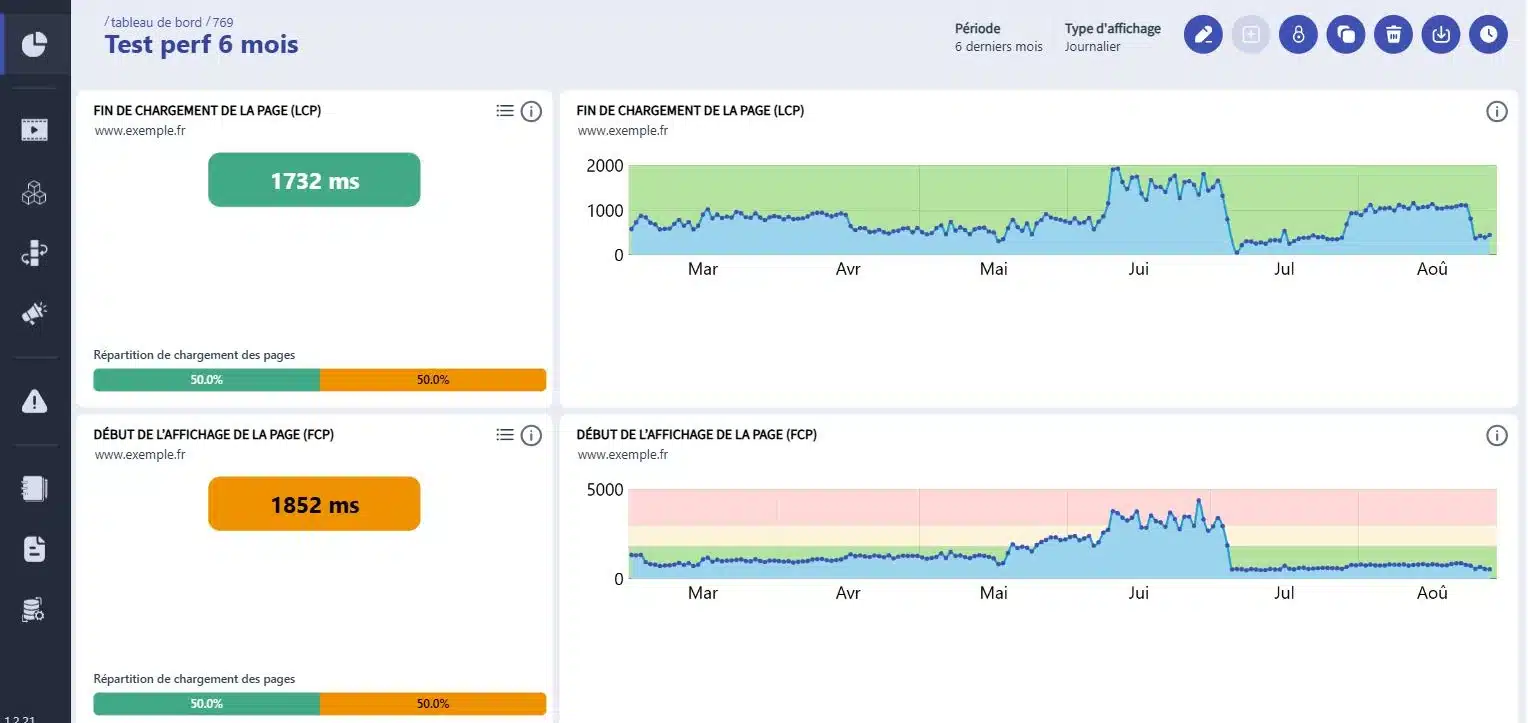
Each run is comparable to the previous one. A 20% decline spread over three weeks is visible in the curve.
The same scenarios run during pre-production and production, at the times when your business is actually busy.
Mr Suricate a no-brainer, because he gives you the assurance that there are no problems. Finding just one bug is enough to make the solution pay for itself for an entire year!”
Anthony CornevinE-commerce Platform Manager, Vertbaudet
GO FURTHER
Fifteen types of tests, four categories. Each one answers a different question about your application.
Is there a term you don't understand? The automated testing glossary defines it.
YOUR QUESTIONS
The questions teams ask us most often about performance measurement.
The performance test measures the response time of a workflow under normal, continuous usage conditions. The load test, on the other hand, identifies the breaking point by simulating a massive influx of simultaneous users. The two are complementary and are handled separately.
The actual duration of each step in a user journey: load time, response time for an action, and the time it takes for a screen to become usable. The measurement focuses on the business workflow, not on an isolated server metric.
Yes, and that's actually the most useful scenario. The same scenarios run during pre-production and production, during peak hours for your business. When working with production data, the rule is to use only data created for testing purposes.
The alert is sent via the channel you've defined for the relevant scenario: email, Slack, SMS, or a webhook to your own tool. Critical scenarios may have a different channel and time limit than others.
Yes. Native iOS and Android apps are run on actual device farms, which allows us to measure response times on the models and OS versions that your customers actually use.
A 30-minute demo of your own app. You'll see one of your workflows automated in real time, without writing any code.