

In short: Making a website accessible to people with disabilities is both a moral and legal obligation. Several tools test contrast ratios, HTML tags, keyboard navigation, and RGAA/WCAG compliance. Our 2025 selection includes Mr Suricate continuous automated accessibility testing), DevTools, WAVE, and others. This comparison details what each tool tests, as well as its advantages and limitations for maintaining long-term compliance.
Making your website accessible to all users, including individuals with disabilities, is crucial for both moral and legal considerations.
However, with numerous factors to consider, it is easy to overlook critical issues.
Compliance requirements can be confusing due to the proliferation of standards (GDPR, WCAG, ISO, etc.), regular updates, and sometimes ambiguous interpretations across different sectors.
Therefore, accessibility testing tools are essential for detecting these issues and offering concrete solutions to both enhance user experience and ensure compliance with standards.
In this article, we will share a slightly subjective list of what we consider to be the best tools for digital accessibility.
What exactly do accessibility tools test?
Beyond screen readers or color contrast analyzers (which we list at the end of the article and whose names are self-explanatory), most accessibility tools test:
- The semantic structure of the page (headings, HTML tags, logical hierarchy)
- The presence of relevant alternative texts for images
- Keyboard navigation (without a mouse) and visible focus
- The color contrast between text and background
- Clear identification of interactive links and buttons
- The correct use of ARIA roles for assistive technologies
- Mobile compatibility and responsive adaptability
- Code errors that may hinder reading by assistive tools
These tools enable rapid detection of accessibility barriers, but do not replace a comprehensive human evaluation for assessing content clarity or user experience coherence.
1. Mr Suricate Automating Accessibility Testing for Continuous Compliance
Thanks to its AI-enhanced continuous monitoring technology, Mr Suricate enables the rapid detection of accessibility violations before they affect the user experience or the website’s legal compliance.
By replicating accessible user flows and identifying anomalies in real time, Mr Suricate that your platform remains inclusive, user-friendly, and compliant with international standards.
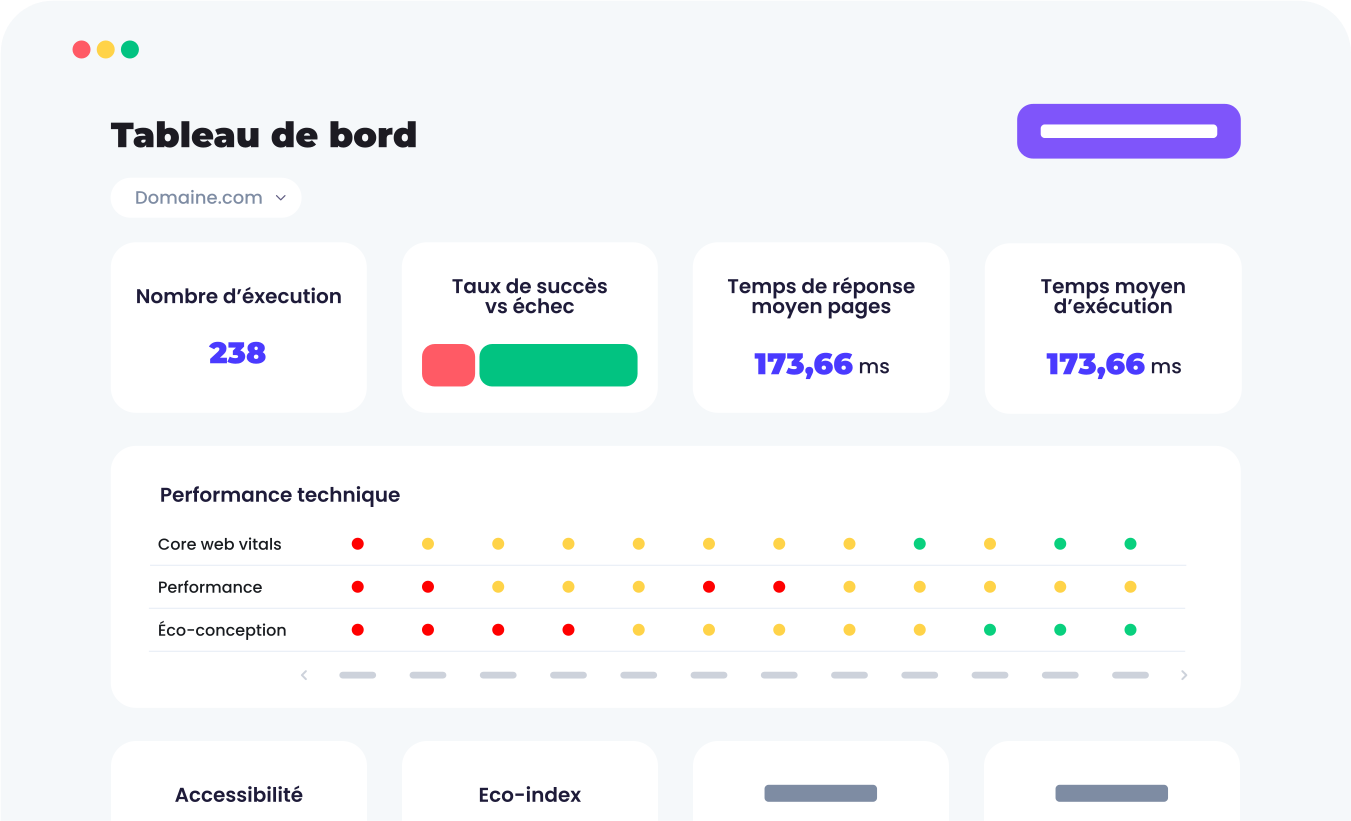
Thanks to its automatedaccessibility tests, Mr Suricate proactive monitoring with instant alerts as soon as a problem is detected.
Key Benefits
✅ Continuous monitoring to identify issues that could compromise accessibility and the user experience.
✅ Intuitive interface and detailed reports.
✅ Personalized support.
✅ Easy to use, even for non-technical teams.
✅ Seamless integration with your development tools, CI/CD, and content management systems.
Disadvantages
❌ Solution primarily specialized for technical detection and correction, not for guidance on inclusive UX strategy.
2. axe DevTools – for integrating accessibility into your development workflow
axe DevTools is a browser extension that enables developers to integrate accessibility testing directly into their work environment.
The tool automatically detects compliance errors (WCAG 2.1, WCAG 2.2) and provides recommendations for their remediation.
By integrating with browsers and CI/CD processes, this solution facilitates the adoption of accessibility from the early development phases.
Key Benefits
✅ Precise recommendations with practical guides for correcting detected errors.
✅ Native integration into Chrome, Firefox, and Edge browsers.
✅ Capability for integration into CI/CD pipelines for continuous accessibility testing.
✅ Compatible with automation tools such as Selenium and Cypress.
Disadvantages
❌ Requires a technical understanding of accessibility to interpret certain advanced results.
❌ The free version is limited to manual analyses.
3. WAVE: Rapid Visual Analysis for Detecting Accessibility Errors
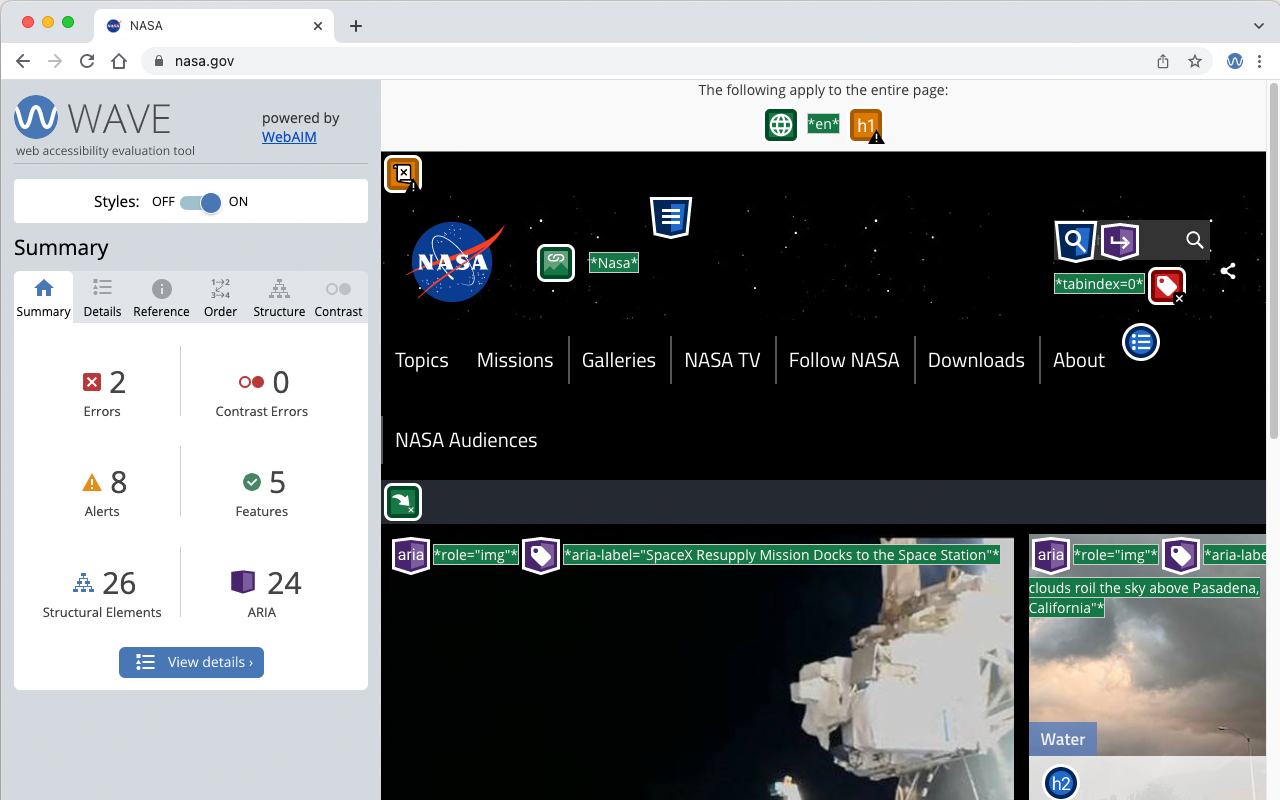
WAVE is one of the most renowned tools for conducting a rapid visual analysis of website accessibility.
Accessible directly via a browser extension or online, the tool identifies accessibility errors while overlaying annotations on the analyzed page.
With its intuitive presentation, WAVE enables the analysis of each page of a site, providing immediate insight into obstacles to inclusive navigation.
Key Benefits
✅ Visual and educational interface.
✅ Free extension available for Chrome, Firefox, and Edge.
✅ Provides explanations for each identified error.
✅ API available for large-scale analysis projects (with license).
Disadvantages
❌ Limited to individual page analysis (no native multi-page automation without a paid API).
❌ Does not detect all dynamic issues (e.g., accessibility of elements modified via JavaScript).
4. Siteimprove: Collaborative Digital Accessibility Management
Siteimprove is a platform that assists businesses in managing the overall quality of their digital presence, with digital accessibility being an inherent component.
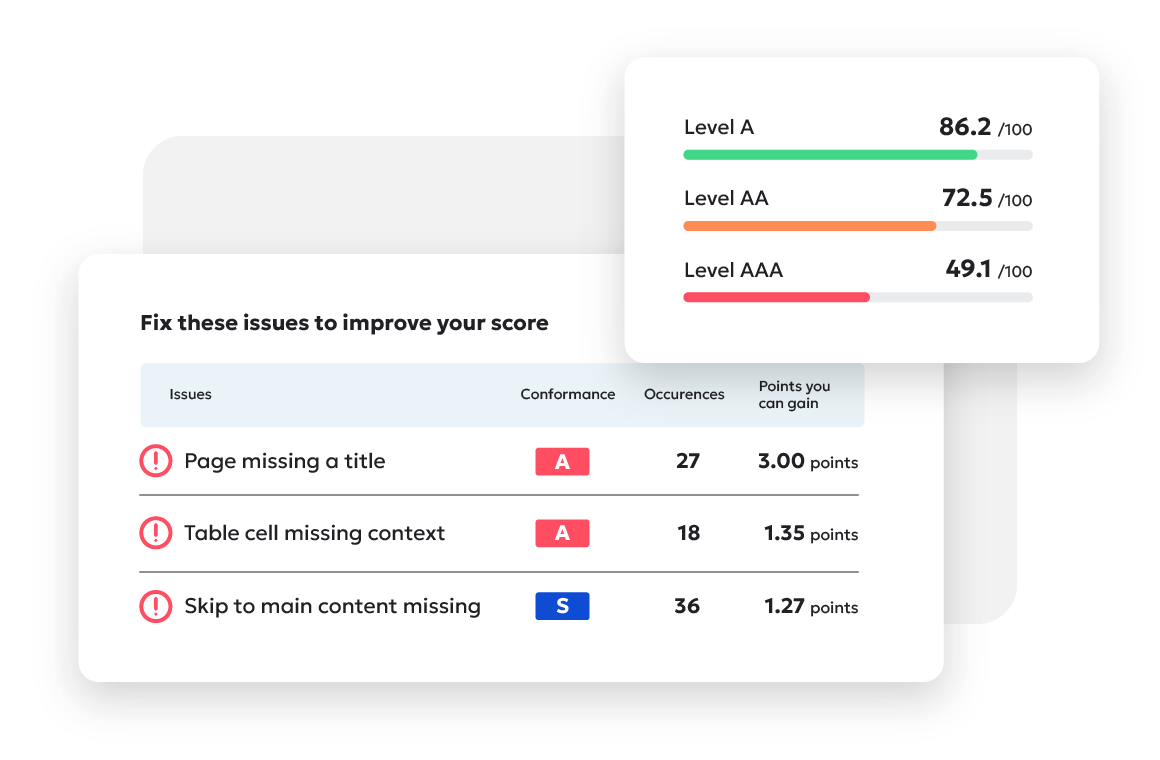
It is designed to foster collaboration among marketing, development, and compliance teams, offering continuous monitoring and prioritization of corrective actions through its centralized approach.
With its intuitive dashboard, Siteimprove facilitates a comprehensive understanding of a site's accessibility and guides teams toward sustainable improvement.
Key Benefits
✅ Clear dashboard for tracking accessibility evolution over time.
✅ Collaborative tool suitable for large, multidisciplinary teams.
✅ Potential for integration with CMS, content management platforms, and analytics tools.
✅ Access to educational resources for enhancing accessibility competencies.
Disadvantages
❌ Requires organizational commitment to fully leverage all functionalities.
❌ More costly and resource-intensive solution for small projects or simple websites.
5. Pa11y – Open-Source Accessibility Test Automation
Pa11y is a powerful open-source tool designed to automate accessibility testing for websites and applications.
Engineered for seamless integration into development pipelines (CI/CD), the tool empowers technical teams to detect WCAG standard violations early and systematically.
This solution is particularly well-suited for projects requiring regular testing across multiple environments while maintaining configuration flexibility.
Key Benefits
✅ Fully open-source tool, with no licensing fees.
✅ Ideal for automating tests within CI/CD pipelines (Jenkins, GitLab, etc.).
✅ Offers flexibility to adapt to the specific requirements of each project.
✅ Generates actionable reports for long-term accessibility monitoring.
✅ Suitable for testing both simple pages and complex user journeys (with Pa11y CI).
Disadvantages
❌ Requires technical expertise for initial configuration.
❌ Limited user interface.
6. Screen Readers – Assessing Actual Content Accessibility
Screen readers enable visually impaired or blind individuals to interact with digital content by converting on-screen text into synthetic speech or digital braille.
Incorporating screen readers into testing protocols allows for the detection of issues that conventional automated tools often miss, such as improper content hierarchy or the absence of navigational cues.
Key recommended screen readers include:
- NVDA (Windows) : A highly popular free screen reader, ideal for rapid testing.
- JAWS (Windows) : A professional solution, widely adopted in enterprise environments (paid).
- VoiceOver (macOS and iOS) : A free integrated screen reader available on all Apple devices.
- TalkBack (Android) : The native screen reader for Android smartphones and tablets.
These tools facilitate testing of ergonomics, navigation fluidity, keyboard-only usage, and the comprehension of structured content (headings, lists, links, forms).
Key Benefits
✅ Allow you to validate the actual user experience for people with visual impairments.
✅ Detect accessibility issues that automated tests cannot identify.
✅ Available for free for most testing needs (NVDA, VoiceOver, TalkBack).
✅ Essential for testing keyboard navigation and accessibility shortcuts.
Disadvantages
❌ Require a learning curve for effective utilization.
❌ Screen reader tests must be conducted as a complement to automated tests, not as a replacement.
7. Color Contrast Analyzers – Ensuring Optimal Readability for All
Insufficient contrast can render reading difficult, or even impossible, for individuals with low vision or color blindness.
Color Contrast Analyzers are essential tools for verifying that color contrasts between text and background adhere to accessibility standards (WCAG 2.1).
They enable rapid identification of readability issues and facilitate the correction of color choices within web and mobile interfaces.
Recommended tools include:
TPGi Color Contrast Analyzer : A free application available on Windows and Mac, allowing for the testing of contrast for any on-screen element.
Contrast : A straightforward Mac application, designed for designers and developers, to instantly verify contrast ratios.
Key Benefits
✅ Provides rapid and reliable verification of text/background contrasts in accordance with WCAG standards.
✅ Offers simulation of various types of visual impairments (color blindness, low vision).
✅ Lightweight, free, and user-friendly tools.
✅ Ideal for integrating contrast verification early in the design phase.
Disadvantages
❌ Naturally, it is limited solely to contrast analysis.
Ensure your digital accessibility with Mr Suricate
Mr Suricate, with its advanced automated testing solutions and proactive expertise, is a partner of choice for companies seeking to ensure the accessibility of their online services.
By adopting a rigorous and continuous testing strategy, businesses can not only comply with standards but also enhance the user experience for all their customers, thereby strengthening their reputation and commitment to social responsibility.
FAQ
What is a digital accessibility testing tool?
It is a tool that verifies a website's compliance with accessibility standards (contrasts, alternative texts, keyboard navigation, tag structure) as defined by RGAA and WCAG, ensuring usability for individuals with disabilities.
Is digital accessibility mandatory?
Yes, for many stakeholders, due to European directives and the RGAA. Beyond legal risks, an inaccessible website excludes a significant portion of the population and degrades the user experience for everyone.
Can accessibility tests be automated?
Yes. Tools like Mr Suricate the verification of key criteria and re-run them with every update, ensuring ongoing compliance rather than a one-time audit that quickly becomes outdated.
Further Reading
To see the solution in action, check out our accessibility tests.
See also: Automated Testing for Smart TVs: A New Era in Quality Assurance.
Learn more: our comparison of automated testing tools.