
In a nutshell: Your website’s design reflects your business. This guide covers: What is design testing?, When should you conduct design testing?, How can you ensure your website’s UX from a design perspective?, Define your goals.
Your website's appearance reflects your business. A design that is visually distorted due to a display bug gives the impression that a company does not pay attention to detail.
“If the website design isn’t perfect, what does that say about the products and services?”
A website may be functional, but if it isn't visually appealing, users will abandon it in favor of its many competitors.
In this article, we explore the role of UI testing in ensuring the visual accuracy of your website at all times, and our tips for ensuring a great user experience (UX) for your website or app.
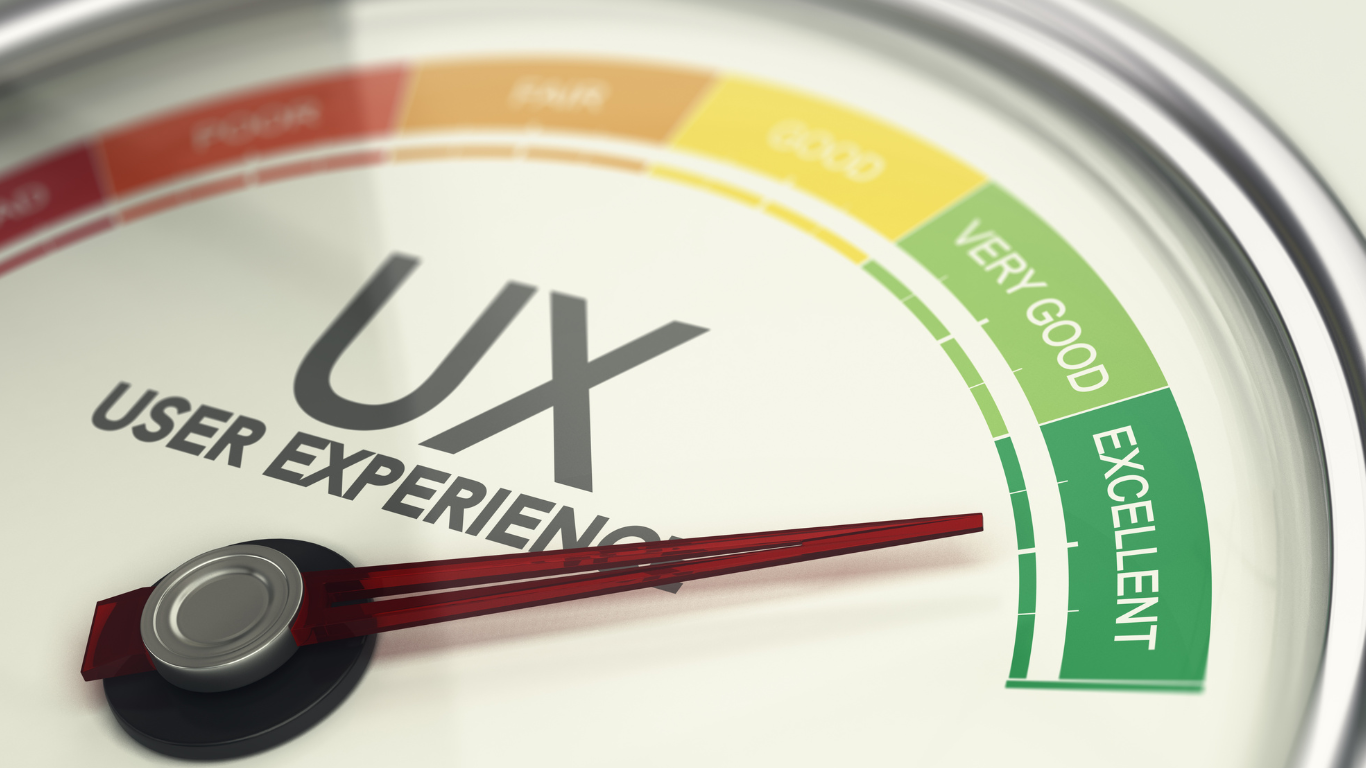
What are graphics tests?
Graphical testing ensures that the user interface (UI) is displayed correctly to all users across the wide variety of devices and browsers that may be used to access the website, in order to optimize the user experience (UX).
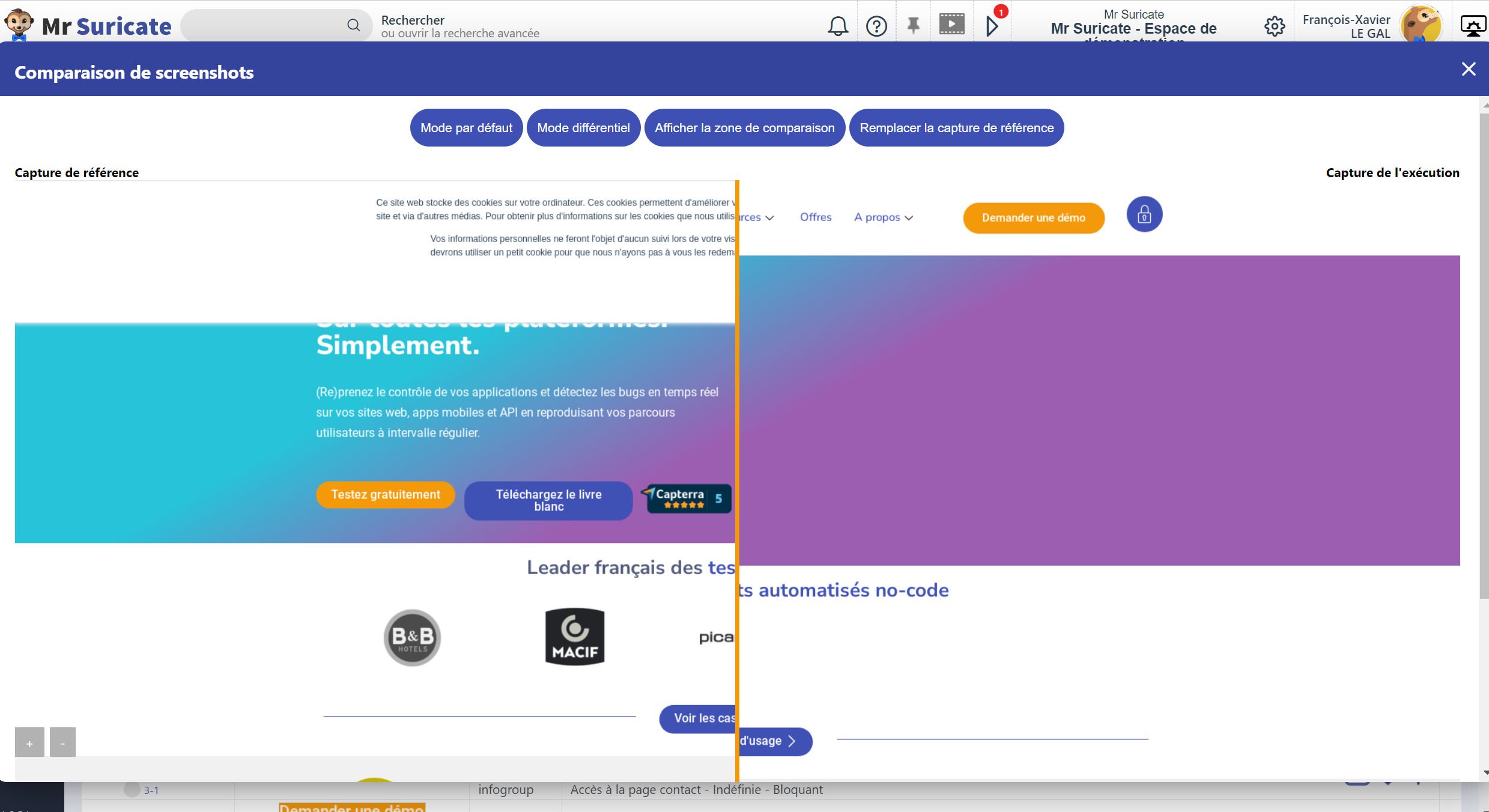
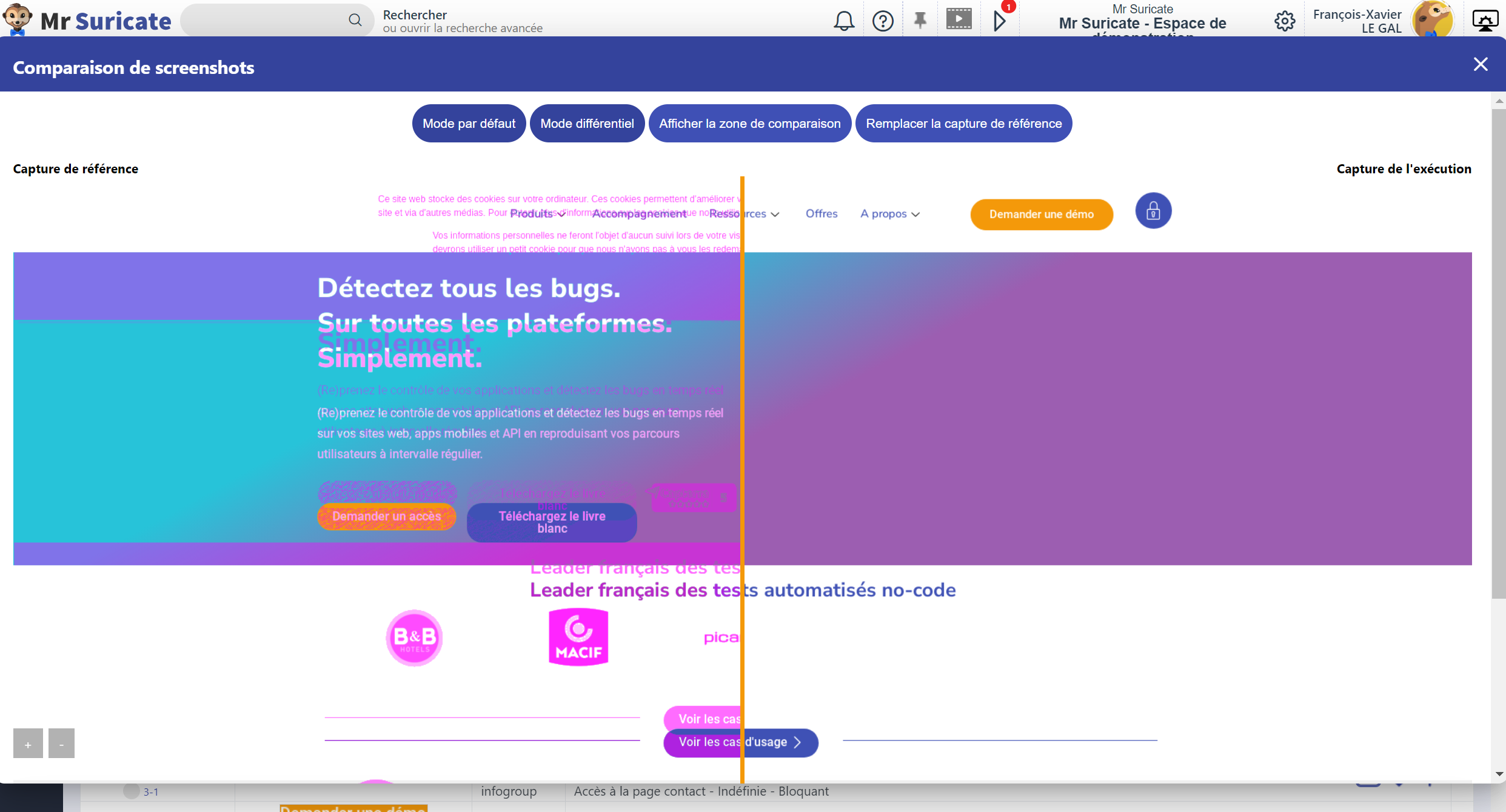
They ensure that the colors, fonts, and other visual elements of a website or application appear in the correct style, size, and position by detecting discrepancies between what users should see and what is displayed on the screen.
Essentially, visual testing helps ensure that the website meets visual standards across all devices and browsers.
Why are graphics tests important?
Attractive and intuitive designs are essential for user engagement.
It would be a shame to invest in a beautiful website or app only to have it fail to display properly for your potential customers due to graphical glitches.
Furthermore, with the proliferation of operating systems, web browsers, and devices, it is becoming increasingly complex to ensure that the UI displays correctly across all the different combinations.
Visual testing allows you to ensure that the user interface (UI) meets aesthetic requirements by identifying visual bugs that can affect the user experience and cause frustration.
A visually flawless and intuitive user experience also has an impact on SEO by reducing the bounce rate that may be linked to visual errors.
Another important benefit of UI testing is that it ensures an application or website complies with accessibility requirements such as the WCAG, which are designed to provide an intuitive and easy-to-navigate user experience.
When should you run graphics tests?
Visual testing is particularly important after a UX modification or update to ensure that no changes have disrupted your platform’s design or usability.
That said, it is best to run UI tests early in the development process to improve the overall quality of the user experience.

How can you ensure a good user experience on your website from a design perspective?
Set Your Goals
Before you begin testing, clarify your specific objectives.
What aspects of the user experience would you like to evaluate? What are your expectations in terms of visual appeal?
Creating a test plan will help you reduce wasted time and effort during testing and ensure that every visual aspect to be tested is actually tested.
Choose an automated UI testing tool to run your UI tests
Contrary to what its name might suggest—which has no double meaning—visual tests are not ideally performed visually.
Although it is possible to manually scan each page to identify visual defects, this method is slow, complicated to implement for an entire application or website, and prone to human error.
Manual visual testing is limited to obvious errors related to visible images, colors, and text.
To detect critical graphical bugs, testers must inspect the color scheme, fonts, and images in CSS and HTML files to identify subtle visual defects related to pixel variations, color deviations, or layout discrepancies across different devices and browsers.
With an automated testing tool, they don't need to spend time checking these details every time changes are made to the website's visual elements.
Automated testing tools quickly detect these nuances, allowing testers to identify and resolve potential issues before they affect the user experience.
Automated UI testing also reduces costs by preventing the loss of potential customers due to a visually flawed user experience, as well as by speeding up the testing and debugging process.
Automation enables continuous and reliable testing throughout the development cycle, ensuring that visual regressions are identified and resolved quickly, thereby reducing the risk of defects reaching production.
Avoid duplicating scenarios through automation
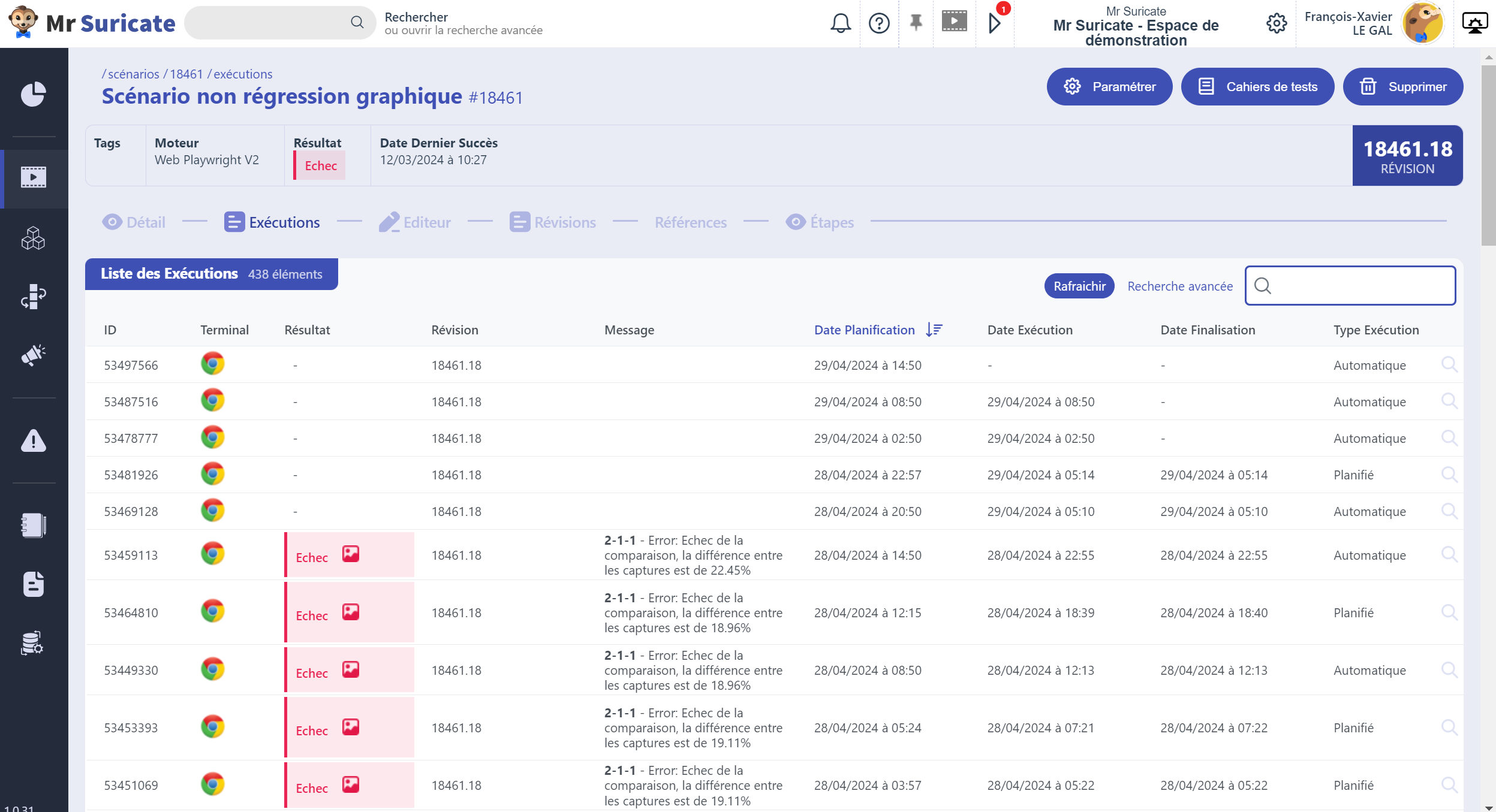
At Mr Suricate, we perform automated UI testing using our no-code UI testing tool to avoid having to create multiple test scenarios.
In this context, the proliferation of scenarios leads to increased complexity and higher maintenance costs associated with managing a large number of test scenarios.
This could also make it difficult to track all scenarios, result in longer execution times, and potentially lead to higher resource consumption.
Furthermore, it may become difficult to ensure comprehensive coverage of all relevant test cases, which could lead to gaps in testing and a decrease in overall testing effectiveness.
A/B Testing
Just because something is visually consistent with the desired result doesn't mean that the desired result is the most impactful.
In other words, there’s always room for improvement, and nothing beats real-time user feedback when it comes to assessing just how impactful your UX is from a visual standpoint.
An A/B testing tool can conduct experiments to identify which aspects of the user experience increase the conversion rate.
For example, a small change—like a button in a different color—can make all the difference!
Don't forget about performance
The key is to have a well-rounded testing strategy that covers all the essential aspects.
Ultimately, it is the site's performance that will showcase all your visual optimizations.
Web performance testing allows you to evaluate the stability and responsiveness of your website or application to ensure fast loading times, prevent crashes, and maintain an optimal user experience.
Mr Suricate Simplified graphical non-regression testing through no-code automation
Verifying the visual aspects of your user journeys is crucial to protect your brand image.
A no-code test automation platform like Mr Suricate these checks so you can ensure visually flawless user flows as efficiently as possible.
Automate all your tests using a single SaaS solution
Simple & No-Code: Automate your tests without coding. Easy to get started, even for non-technical users.
Multi-device: Run your tests sequentially on real devices (desktop, mobile apps, and APIs).
No integration required: No code to install. Faster time to market.
Comprehensive Solution: Our R&D team has provided a solution to every challenge our customers face, making this a truly versatile solution.
FAQ
What are graphics tests?
Graphical testing ensures that the user interface (UI) is displayed correctly to all users across the wide variety of devices and browsers that may be used to access the website, in order to optimize the user experience (UX).
When should you run graphics tests?
Visual tests are particularly important after a UX change or update to ensure that no changes have disrupted your platform’s design or usability. That said, it’s best to run visual tests early in the development process to improve the overall quality of the UX.
Further Reading
- Simulate 10,000 users without coding: our tips for successful load testing
- Production Monitoring & Web Performance: Ensuring Availability, Speed, and Reliability
- The Ultimate Guide to Automated Testing & QA: Strategies, Tools, and Best Practices
- The no-code script editor
- The Mr Suricate Automated Testing Solution
See also: Anthéa Pernaud (interview): How to Improve the Customer Experience.
Take it a step further: graphical non-regression testing.