









Actual iOS and Android devicesMobile Web ResolutionsWithout writing any code

Mobile Testing: Native Apps vs. Responsive Design— Put to the Test

Your iOS and Android apps tested on actual devices, and your web experiences verified at your users' screen resolutions. Two areas that are often separate, but a single test plan.

app.mrsuricate.com
Execution on terminalsOngoing mobile campaign
iOSAndroidMobile Web
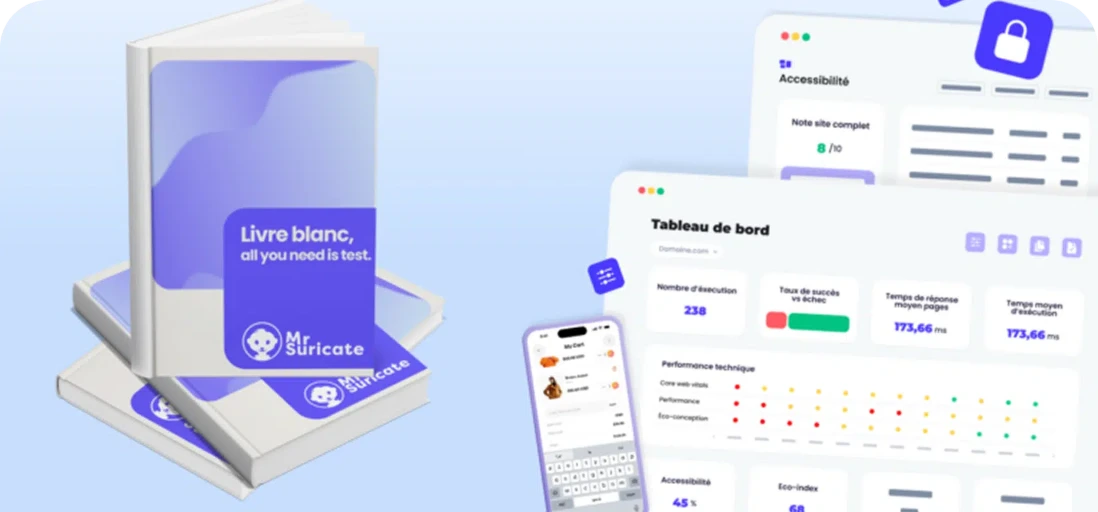
  • iOS 17 ·LoginSuccessful
  • Android 14 ·Add to CartSuccessful
  • iPhone SE ·Checkout ProcessFailure
  • Web 390px ·Navigation menuSuccess
6 terminals · last campaign 12 minutes ago
Button Off-ScreenTeam notified

You can't test the mobile version by resizing the window

An emulator does not replicate the memory of an entry-level phone, the native keyboard that covers the input field, or the version of Android that your customers are still using. The reverse is also true: a website that passes all validation tests on a computer may have its order button off-screen on an iPhone SE, without any tests having caught it.

Mouse icon

True native apps

Your iOS and Android apps are tested on real device farms—not emulators—using your users' OS versions.

Purple Rectangles Icon

The same browser navigation paths replayed at your audience’s screen sizes, revealing where content overflows and unreachable buttons are hidden.

Purple Gear Icon

A fleet, not a model

You choose which device and OS combinations to support based on your usage statistics rather than the latest model released.

Purple API Test Icon

Mobile-specific gestures

Scrolling, long press, rotation, system back button, resuming after being minimized. These features don't exist on a computer.

How Automation Is Changing Things, Line by Line

Manual Mobile Testing
With Mr Suricate
Two phones on a corner of the desk—let's hope that's enough.
A fleet of actual terminals, covered in every campaign.
You can test the responsiveness by resizing the browser window.
The playthroughs are replayed at their actual resolutions.
A rollback to an older version of Android goes unnoticed.
The OS versions on your devices have been tested.
The app and the website are tested separately by two teams.
Both scopes are contained within the same test suite.
You can find the off-screen button through a notification in the app store.
You can see this in the screenshot of the program running.
Each mobile release goes through another round of manual testing.
The campaign restarts automatically with each build.
ResultYour ad placements verified on the devices and screen resolutions your customers actually use, with every delivery.
“An easy-to-use, fun tool that’s similar to Scratch. The campaign management feature gives me peace of mind before each deployment.”

Coralie Cebron de LisleSoftware Tester, Optivalue

YOUR QUESTIONS

Frequently Asked Questions

The most common questions we get about mobile testing.

Are you testing the actual native apps, or just the responsive website?

Both. iOS and Android apps are run on actual device farms, and your web experiences are also tested at mobile resolutions. These are two distinct areas—often confused with one another—and they are addressed in the same test plan.

On which devices are the tests run?

On actual devices, not emulators, and across the combinations of device models and OS versions you choose. The right criterion is your own audience breakdown, not the latest device released: it’s often an older model that reveals the flaws.

Do you need to write a different script for iOS and Android?

The two platforms do not have the same components or system actions, so the scenario is tailored to each one. However, the workflow logic and test data are shared, and reusable blocks prevent the need to duplicate everything.

Isn't responsive design enough?

It depends on what you're selling. If your native app generates revenue or provides customer service, it needs to be tested on its own: a validated responsive website says nothing about how the app will behave on a phone that's running other apps, has a weak connection, or receives a notification that interrupts the user experience.

Do you need to write code to automate a mobile test?

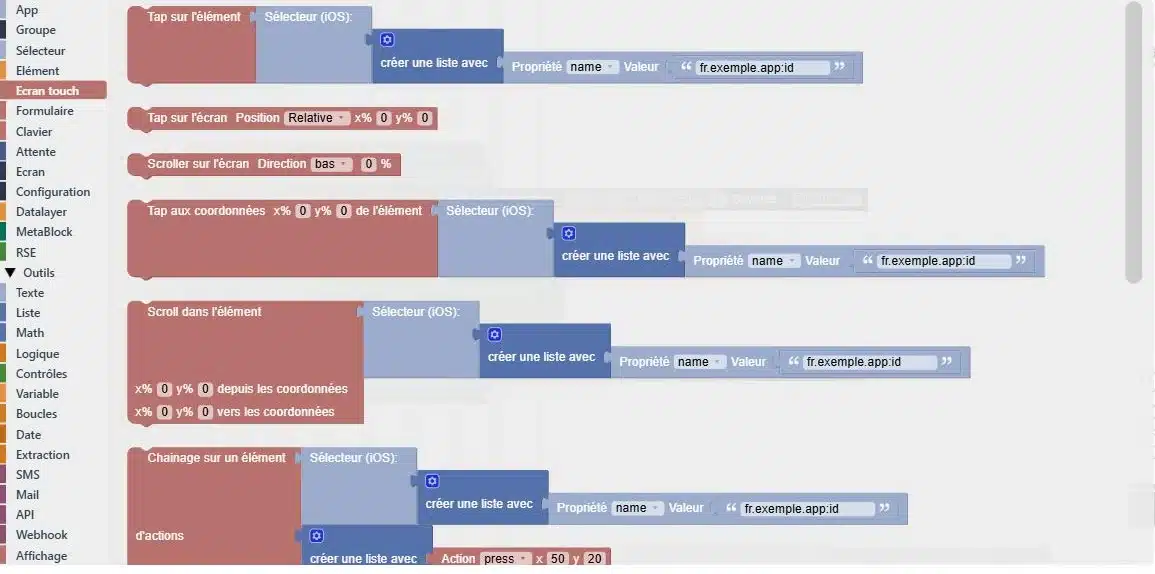
No. Mobile test cases are built just like any others, either through assisted recording or by assembling test blocks. This is what allows a business profile to keep test coverage up to date as the application is released.

Do you only believe what you see?

A 30-minute demo of your own app. You'll see one of your workflows automated in real time, without writing any code.