Pipeline Triggering· Results in your tools· Without a single line of code
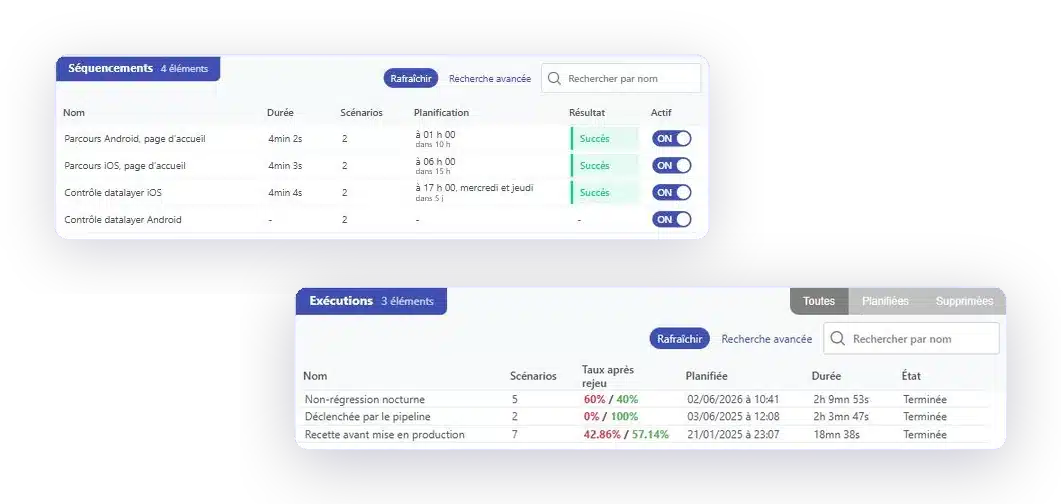
Your tests are triggered with every build from Jenkins, GitLab, or your orchestrator, run on your environments, and the results are returned to the pipeline as well as to your team tools.
A campaign launched on Friday afternoon—if anyone even thinks to do so—says nothing about what was delivered on Tuesday. As long as execution isn't triggered by the pipeline, coverage depends on whether someone is available.
Your tests run with every build, from Jenkins, GitLab, or your orchestrator, via API call or webhook.
Recipe, pre-production, production. The same scenarios, with the specific data sets for each environment.
The status is back in the build. It's up to you to decide whether it simply notifies the team or halts the pipeline.
Jira for tickets, Slack or Teams for the team, text messages for on-call duty. No one is adding another tool.
Three steps—and none of them require you to put your tools away.
Your scripts run on your production environments
YOUR QUESTIONS
Deployment, production hold, environments: answers to the most frequently asked questions.
Via an API call from your orchestrator, or via a webhook. Jenkins, GitLab, and Azure are the most common options among our customers, and scheduling remains available for tasks that do not depend on a build.
It's up to you. The status is included in the build, and you choose whether it simply notifies the team or halts the pipeline.
No. The scenarios run on your existing environments—acceptance testing, pre-production, or production—using the specific datasets for each one.
It is measured in tens of minutes rather than days. The time savings observed among our customers are up to fifteen times faster than manual methods.
Some selector failures are automatically resolved through self-healing. The rest are reported as incidents, along with the failed step and the capture, and the correction of a block is propagated to all scenarios that use it.
A 30-minute demo on your own channel. You'll see a build trigger a campaign and the results flow through the pipeline.