In a nutshell: Smart TVs are becoming a must-have in more and more households around the world. This guide covers: What is Smart TV testing?, Challenges in optimizing the user experience on Smart TVs, A wide variety of screen sizes, resolutions, and features, and Limited hardware resources.
Smart TVs are becoming a staple in more and more households around the world. In mainland France alone, according to Arcom( ), connected smart TVs are used by more than half of all households—53.2%.
These devices are revolutionizing the way consumers access content, stream videos, and interact with a wide variety of apps, and it is essential to ensure that every app and every feature works flawlessly at all times.
That's where automated testing for Smart TVs comes in.
This article explores Smart TV testing, the common challenges associated with such testing, and the benefits of automated testing to help you ensure that your Smart TV app meets the evolving demands of today's consumers.
What is the Smart TV test?
Smart TV testing is a process that ensures that streaming content delivered to Smart TVs is optimized for performance and user experience, requiring a combination of manual and automated testing to ensure that the platform meets its desired objectives.
Just like OTT app testing, Smart TV testing involves evaluating various parameters such as video quality, audio quality, buffering, streaming speed, and device compatibility across multiple networks.
Smart TV testing also includes additional aspects such as analyzing the platform's user interface, testing navigation controls, and evaluating the platform's functionality.

Challenges in Optimizing the User Experience on Smart TVs
A wide variety of screen sizes, resolutions, and features
Smart TVs are available in a variety of screen sizes and resolutions, making it difficult to ensure that user interface elements are visually appealing and fully functional in all circumstances, given the
Screen sizes: 24–32 , 40–49, 50–59, 60–75, 75 inches and larger
Resolutions: HD (720p), Full HD (1080p), 4K Ultra HD (2160p), 8K Ultra HD (4320p)
Aspect ratios: 16:9, 21:9
Additional features: HDR (High Dynamic Range), built-in streaming apps (Netflix, Amazon Prime, Disney+, etc.), voice control (Google Assistant, Amazon Alexa), connectivity options (Wi-Fi, Bluetooth, HDMI ports)
Limited material resources
Smart TVs generally have less processing power and memory than desktop computers or smartphones.
To give you an idea, Smart TVs are often equipped with quad-core processors with clock speeds ranging from about 1.2 to 1.8 GHz, while desktop computers and high-end smartphones may have octa-core processors with clock speeds exceeding 2.5 GHz.
It is therefore crucial to optimize your app by taking these limitations into account, ensuring that it runs smoothly without placing excessive strain on the device.
Network latency and bandwidth constraints
If the user's network is slow or bandwidth is limited, this can affect the app's performance and the overall viewing experience.
It is crucial to test the app under various network conditions—such as 2G, 3G, 4G, or Wi-Fi—to identify areas for improvement.
Frequency of Updates
Frequent updates to Smart TV apps and firmware require ongoing testing to ensure that new versions do not introduce bugs or performance issues.
Energy Consumption
When testing Smart TVs and related apps, it is also important to pay attention to the device's energy consumption.
By ensuring that the device uses as little electricity as possible, you can help reduce its environmental impact (and also lower users' utility bills).

How can automated testing address these Smart TV challenges?
An automated testing tool capable of detecting Smart TV bugs in real time by simulating your user journeys at regular intervals allows you to overcome these complex challenges.
Here are some automated tests that are often run in a Smart TV environment:
Functional
Functional tests verify that each feature of the Smart TV works according to the specifications.
For example, they ensure that streaming apps open and close properly, that menu navigation is smooth, and that configuration settings are applied as expected.
System
System tests evaluate the integration and interaction of the various components of the Smart TV.
For example, they verify that firmware updates do not affect existing features, that the various interfaces (Wi-Fi, Bluetooth, HDMI ports) work well together, and that system resource management is efficient.
Compatibility
Compatibility testing ensures that apps and services are compatible with different Smart TV models and firmware versions.
This includes verifying compatibility with different screen resolutions, TV brands, and operating system versions.
Performance
Performance tests measure the speed and responsiveness of the Smart TV.
For example, they can check how long it takes for apps to load, how smoothly streaming videos play, and how responsive the remote control or voice commands are.
Accessibility
Accessibility tests evaluate whether the Smart TV can be used by people with disabilities.
These include testing features such as captions, audio descriptions, high-contrast options, and voice navigation to ensure that all features are accessible to all users.
Security
Security tests examine potential vulnerabilities in the Smart TV to protect user data and prevent unauthorized access.
These include verifying encryption protocols, authentication mechanisms, and resistance to attacks such as network intrusions, malware, and data breaches.
Benefits of Automated Testing for Smart TVs
Efficiency and Speed
Automated testing makes it possible to quickly and efficiently verify a large number of scenarios, thereby reducing the time to market for new features.
Automated testing allows developers to focus on priority tasks and recoup the hours lost to slow manual testing and fixing the test infrastructure.
Accurate bug detection
Thanks to automation, tests can be run repeatedly with consistent accuracy, making it possible to detect subtle bugs that might be missed during manual testing.
Extensive Test Coverage
Automated testing can cover a wide range of hardware and software configurations, ensuring that applications function properly on all supported platforms.
Smart TV Automated Testing – Best Practices
Parallel Testing: Speed up your builds by running tests simultaneously on multiple Smart TVs.
Remote Control and Focus Management: Navigate through your apps by simulating the functionality of a remote control.
IP Geolocation Testing: Test the geolocation of applications by running tests from IP addresses in multiple countries.
Local Testing: Test applications with backends hosted on local machines or staging environments
Early Debugging: Debug using video recordings, logs, and test reporting features.
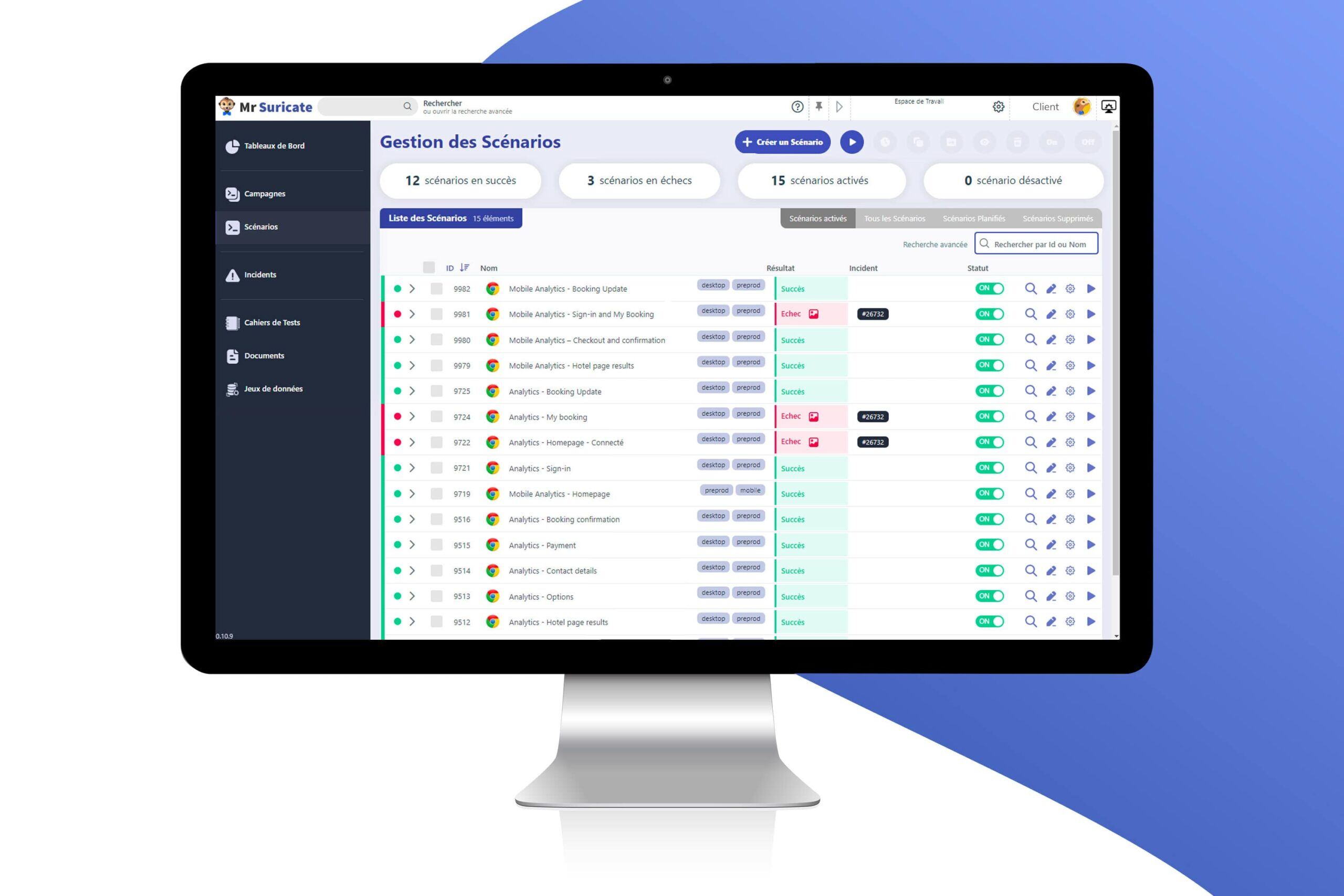
Mr Suricate France's leading provider of no-code automated testing
By adopting an automated testing approach, developers and companies can improve the efficiency of their testing processes, reduce costs, and deliver an exceptional user experience.
The no-code SaaS solution Mr Suricate a wide range of automated tests to help you manage your acceptance testing and provide your users with the best possible experience.
Gain control over your applications and detect bugs in real-time across your websites, applications, and APIs by replicating user journeys at regular intervals.
FAQ
What is the Smart TV test?
Smart TV testing is a process that ensures that streaming content delivered to Smart TVs is optimized for performance and user experience, requiring a combination of manual and automated testing to ensure that the platform meets its desired objectives.
How can automated testing address these Smart TV challenges?
An automated testing tool capable of detecting Smart TV bugs in real time by replicating your user journeys at regular intervals allows you to overcome these complex challenges. Here are some automated tests commonly run in a Smart TV context:
Further Reading
- The Ultimate Guide to Automated Testing & QA: Strategies, Tools, and Best Practices
- Quality Audit: How Automated Testing Facilitates Compliance (ISO, RGAA, GDPR, etc.)
- Why Automated Testing Can't Replace Humans
- Automated Testing for Insurance and Health Insurance
- Accessibility Testing
- The QA Glossary
- How Does Mr Suricate Work?